
|
Do it yourself
| |||
| ||||


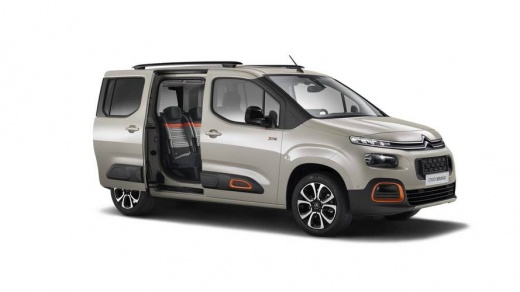
How to Reset the Service Light on a Citroen Berlingo
Model: Citroen Berlingo
MK 3
- Years:
2018, 2019, 2020, 2021, 2022, 2023, 2024, 2025, 2026
Video tutorial
The procedure to correctly reset the service light on a Citroen Berlingo is quite simple and can be done by anyone in their own garage. First, locate the button with a spanner icon (located just below the speedometer). Press and hold it while turning on the ignition. At this point, a ten-second countdown will begin. Once it finishes, release the button and the reset is complete. You just need to turn off the ignition again. From the next start, the warning light will no longer be displayed.
Updated on 13 June 2026 by ScegliAuto
Related tutorials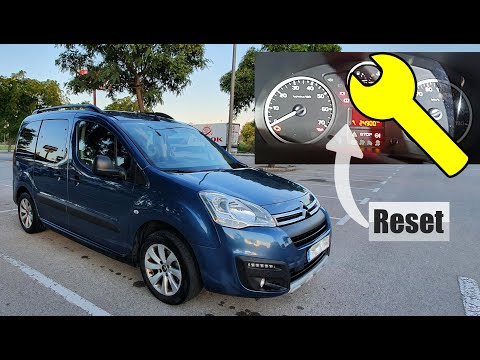
Citroen Berlingo
(2008-2018 /
MK 2)
To reset the service light on a Citroën Berlingo, turn on the instrument panel and press the button located on the right side of the panel. While hol…

Citroen Berlingo
(2008-2018 /
MK 2)
On the 2008 Citroen Berlingo vehicles, to reset the service light, we need to turn on the instrument panel by inserting the key into the ignition swi…

Citroen Berlingo
(2018-2026 /
MK 3)
To correctly and independently reset the service light on your Citroen Berlingo Mk3, follow these steps. First, enter the vehicle and ensure it is co…
Other guides you may be interested in |
How to Reset the Tyre Pressure Warning Light on a Kia Rio?
The tyre pressure warning light displayed on the instrument cluster of the Kia Rio can be reset by inflating the tyres until they reach the recommended pressure value: this value is indicated on the sticker affixed to the driver's door pillar. Once all tyres have been inflated to the recommended pressure, turn on the ignition to check that the light has disappeared: if it is still present, it may be necessary to drive for a few miles, allowing the sensors to work and thus turning off the light. by ScegliAuto More videos
|
|
For advertising on this site Write to info@scegliauto.com
ScegliAuto is not responsible for any inaccuracy of the data in the lists. To report any inaccuracy or your business (if you own the business in question), please write to info@scegliauto.com
Number of seconds to generate the page: 0.078
(c) ScegliAuto 2026 - info@scegliauto.com - Privacy policy VAT number: IT01247470535 |
