
|
Do it yourself
| |||
| ||||


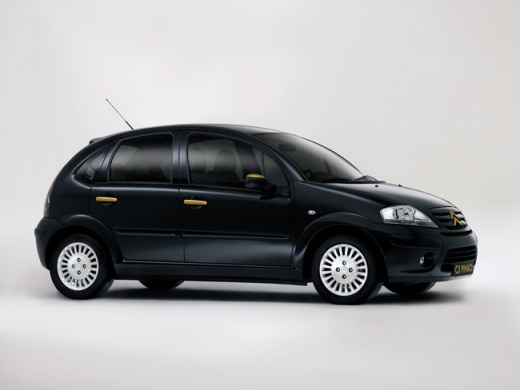
How to Remove the Radio from the Citroen C3
Model: Citroen C3
FC, FN
- Years:
2002, 2003, 2004, 2005, 2006, 2007, 2008, 2009
Video tutorial
Removing the radio from the Citroen C3 and the central console may seem complicated, but it is quite simple. To remove the radio from its housing, insert the appropriate radio extraction pins into the four holes surrounding it. Once inserted, gently pull outward and disconnect the radio connector. To remove the central console, use plastic tools to insert at the sides and pull outward on the dashboard parts, taking care not to break the clips. When removing parts connected to connectors, such as those for the cabin fan, always be cautious with the force applied.
Updated on 6 September 2026 by ScegliAuto
Related tutorials
Citroen C3
(2016-2023 /
SY, SX)
Today, I will explain how to remove the radio from a 2021 Citroen C3 quickly and easily. To perform the removal, you need to take off the side covers…

Citroen C3
(2002-2009 /
FC, FN)
Today we will explain how to replace the car radio of the Citroen C3, switching from an "Alpine CDE-133BT" model to the original one. To remove the r…

Citroen C3
(2009-2016 /
SC)
To remove the radio from a Citroën C3, insert the appropriate hook keys into the four holes located at the corners of the device. Once the keys are i…
Other guides you may be interested in |
Frequently Asked QuestionsHow to reset the tyre pressure warning light on the Kia Niro EV?
To reset the tyre pressure warning light on the Kia Niro EV, inflate the tyres until they reach the correct pressure value. This value is indicated on the sticker attached to the driver's door pillar. Once the tyres are inflated, turn on the instrument cluster to check that the warning light has completely disappeared from the display. If it is still present, you may need to drive for a few miles to ensure it disappears completely from the screen. by ScegliAuto More videos
|
|
For advertising on this site Write to info@scegliauto.com
ScegliAuto is not responsible for any inaccuracy of the data in the lists. To report any inaccuracy or your business (if you own the business in question), please write to info@scegliauto.com
Number of seconds to generate the page: 0.016
(c) ScegliAuto 2026 - info@scegliauto.com - Privacy policy VAT number: IT01247470535 |
