Dacia Duster - Brake rotors
Brake Rotors Dacia Duster (2010-2017 / mk 1, hs)
Cigarette lighter (1)
Airbag (4)
Alternator (1)
Speaker (7)
Shocks (4)
Antenna (6)
Car stereo (39)
Roof rack bars (9)
Battery (11)
Air vents (2)
Bushings (1)
Transmission (1)
Spark plugs (7)
Glow plugs (1)
Body (13)
Glove compartment (1)
Key (23)
Timing belt (12)
A/C controls (1)
Onboard computer (18)
Checks and maintenance (43)
Dashboard (5)
Bearing (1)
MAF sensor (2)
Brake rotors (3)
Rear bench seat (1)
Headlight (12)
Tail light (9)
Fog lights (2)
Diesel particulate filter (2)
Air filter (19)
Cabin air filter (28)
Fuel filter (2)
Diesel fuel filter (8)
Oil filter (5)
Parking brake (2)
A/C system (1)
Fuel injectors (1)
Accessory kit (1)
Light bulb (10)
Headlight bulb (34)
Tail light bulb (5)
Interior dome light bulb (1)
Antifreeze coolant (2)
Instrument panel light (4)
License plate light (2)
(1)
Trim cover (1)
Engine (1)
Starter motor (1)
Transmission fluid (1)
Engine oil (11)
Clock (16)
Door trim panel (12)
Front bumper (3)
Rear bumper (2)
Brake pads (8)
Tires (1)
Shift knob (14)
Pump (2)
Fuel pump (1)
Car door (2)
Power window switch (1)
Instrument cluster (5)
Wheel (4)
Fuse box (47)
Seat (6)
Door lock (1)
Oxygen sensor (1)
Side mirror (12)
AdBlue warning light (22)
Warning light – error code (40)
Tire pressure warning light (75)
Service warning light (160)
Manufacturer emblem (2)
Engine mount (1)
Fuel cap (3)
Windshield wipers (4)
Center console tunnel (2)
EGR valve (1)
Blower motor (1)
Steering wheel (4)
|
How to Reset the Tire Pressure Light on a MG ZS?
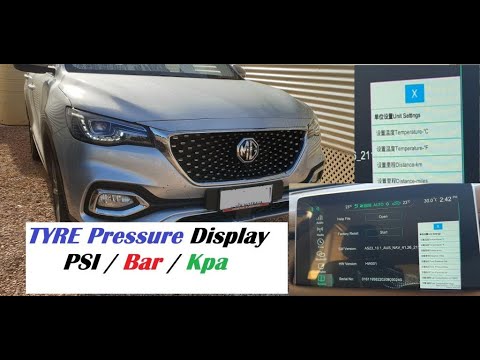
On the instrument cluster of the MG ZS, the tire pressure light that appears can be reset by inflating the tires to the correct pressure: this value will be indicated on the sticker attached to the driver's door pillar. Once the tires have been properly inflated, you can turn on the instrument cluster and navigate through the menu until you find the option that indicates tire pressure: if this screen shows the new values, the light will turn off; otherwise, you will need to drive for a few miles so that the sensors can read the new values and turn off the light afterward.
Watch the video!
by ScegliAuto
More videos
|



