
|
Do it yourself
| |||
| ||||


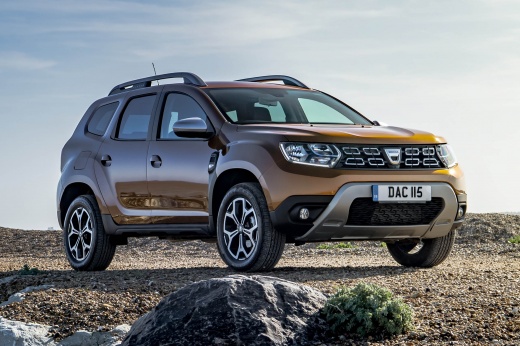
How to reset the zig-zag shaped warning light on the Dacia Duster
Model: Dacia Duster
HM, MK 2
- Years:
2017, 2018, 2019, 2020, 2021, 2022, 2023, 2024
Video tutorial
What does the zig-zag shaped warning light on a Dacia Duster indicate? It could indicate a malfunctioning sensor, a problem with the electrical wiring, or a fault in one of the vehicle's electronic control modules; in some cases, this warning light may indicate a problem related to the engine, such as water infiltration, combustion issues, or a fault related to a mechanical component. It also simply indicates that it is time for a service, so it is important to keep track of the mileage and time deadlines. In this case, after performing the necessary checks, to reset the warning light, press the button located on the top of the right lever on the steering wheel, scroll through the menu until "setting" appears. Hold it down until the "set TP" message starts flashing. When it stops, the warning light will also disappear. Operation completed.
Posted on 8 March 2025 by ScegliAuto
Related tutorials
Dacia Duster
(2017-2024 /
HM, MK 2)
The orange zig-zag light that appears on the dashboard of Dacia and Renault vehicles is the indicator for the tyre pressure monitoring system. If the…

Dacia Duster
(2017-2024 /
HM, MK 2)
The warning light shaped like a wrench, often accompanied by a text message, present in vehicles, is a useful reminder not to forget to service your …

Dacia Duster
(2024-2026 /
P1310)
In today's article, we will show you how to reset the tire pressure warning light on the Dacia Duster in case the light remains on even after adjusti…
Other guides you may be interested in
|
Frequently Asked QuestionsHow to Set the Time in an Audi A4?
In this tutorial, you will see how to set the time in an Audi A4, a very simple and quick operation to perform after replacing the battery or when the time changes. First, insert the key and turn on the instrument cluster. Then, press the "SETUP" button located on the center console. Next, press the upper left arrow button, navigate to the "Time" option, and use the central knob to adjust the clock. Finally, set any necessary formats and save by returning to the main screen. by ScegliAuto More videos
|
For advertising on this site Write to info@scegliauto.com
ScegliAuto is not responsible for any inaccuracy of the data in the lists. To report any inaccuracy or your business (if you own the business in question), please write to info@scegliauto.com
Number of seconds to generate the page: 0.029
(c) ScegliAuto 2026 - info@scegliauto.com - Privacy policy VAT number: IT01247470535 |
