
|
Do it yourself
| |||
| ||||


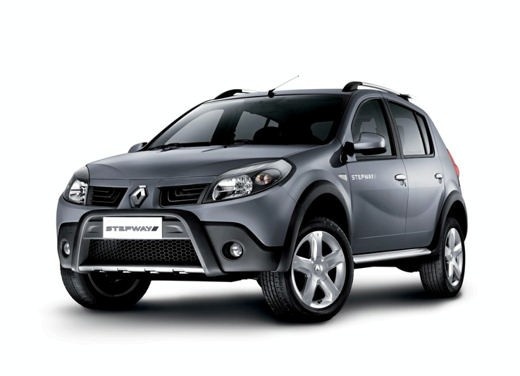
Where is the OBD port located in the Dacia Sandero?
Model: Dacia Sandero
BS
- Years:
2008, 2009, 2010, 2011, 2012
Video tutorial
To find the OBD port located inside the cabin of your first generation Dacia Sandero on your own, it only takes a few minutes. All you have to do, in fact, is read the following guide and apply step by step what is described. First of all, make sure the car is turned off, then open the glove compartment located in front of the passenger seat and proceed with the removal of any objects inside it. Once this is done, locate the small protective cover at the bottom of the compartment and remove it with your hands so that you finally have access to the OBD port you were looking for.
Posted on 15 November 2025 by ScegliAuto
Related tutorials
Dacia Sandero
(2012-2020 /
B8)
In this new guide of ours, we will explain the various steps you need to follow if you intend to independently locate the OBD port inside your 2017 D…

Dacia Sandero
(2012-2020 /
B8)
Knowing the exact location of the OBD port on your Dacia Sandero is very important as it allows you to quickly connect a diagnostic tool if needed. I…

Dacia Sandero
(2012-2020 /
B8)
If you own a second generation Dacia Sandero, particularly the 2017 model, you can use the following procedure to easily locate the OBD port of the v…
Other guides you may be interested in
|
Frequently Asked QuestionsHow to Reset the Tire Pressure Light on a MG ZS?
On the instrument cluster of the MG ZS, the tire pressure light that appears can be reset by inflating the tires to the correct pressure: this value will be indicated on the sticker attached to the driver's door pillar. Once the tires have been properly inflated, you can turn on the instrument cluster and navigate through the menu until you find the option that indicates tire pressure: if this screen shows the new values, the light will turn off; otherwise, you will need to drive for a few miles so that the sensors can read the new values and turn off the light afterward. by ScegliAuto More videos
|
|
For advertising on this site Write to info@scegliauto.com
ScegliAuto is not responsible for any inaccuracy of the data in the lists. To report any inaccuracy or your business (if you own the business in question), please write to info@scegliauto.com
Number of seconds to generate the page: 0.026
(c) ScegliAuto 2026 - info@scegliauto.com - Privacy policy VAT number: IT01247470535 |
