
|
Do it yourself
| |||
| ||||


How to Replace Burnt Bulbs in the Central Panel Buttons of a Dacia Duster
Model: Dacia Duster
HS, MK 1
- Years 2010-2017
In this tutorial, you will learn how to replace burnt bulbs in the buttons on the central panel of a Dacia Duster by following some simple steps. The first thing to do is purchase the bulbs from an authorised spare parts dealer or online. Remove the central trim (you can use a trim removal tool); once the central trim is removed, disconnect the cables from the buttons. Extract the button and remove the old burnt bulb. Take the new bulb and install it (see video) without touching the wires. Once the new bulb is installed, reassemble all parts in reverse order.
Updated on 29 June 2026 by ScegliAuto
This video is currently unavailable
Related tutorials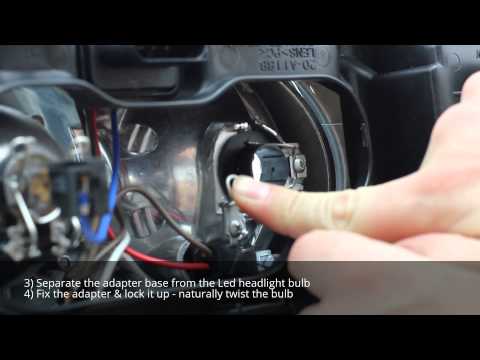
Dacia Duster
(2010-2017 /
HS, MK 1)
Learn how to replace the front headlight bulbs on a Dacia Duster. Open the bonnet by pulling the lever located at the bottom right of the dashboard a…

Dacia Duster
(2010-2017 /
HS, MK 1)
In this video we can see how to change the dashboard bulbs where the climate knobs are located in a Dacia Duster MK1. We use a plastic spatula to rem…
Dacia Duster
(2010-2017 /
HS, MK 1)
In this video, you can see how the author replaces the front headlight bulbs (H7 and H1) on a first-generation Dacia Duster. The YouTuber has chosen …
Other guides you may be interested in |
How to Open the Bonnet on the Lancia Y
To open the bonnet on this vehicle, follow these simple instructions: first, open the driver's door and locate the lever positioned just below the dashboard, marked with an image of the vehicle with the bonnet open. Pull this lever towards you until you hear a "click" indicating the bonnet is released. Next, exit the cabin and stand in front of the bonnet to disengage the safety catch and complete the opening. To do this, slightly lift the bonnet, locate the yellow lever underneath, and pull it to the left to fully release and open the bonnet. by ScegliAuto More videos
|
|
For advertising on this site Write to info@scegliauto.com
ScegliAuto is not responsible for any inaccuracy of the data in the lists. To report any inaccuracy or your business (if you own the business in question), please write to info@scegliauto.com
Number of seconds to generate the page: 0.079
(c) ScegliAuto 2026 - info@scegliauto.com - Privacy policy VAT number: IT01247470535 |
