
|
Do it yourself
| |||
| ||||


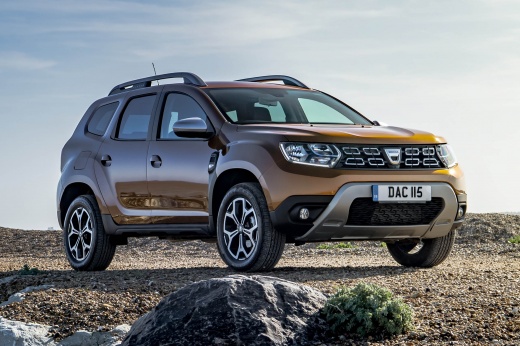
How to Reset the Service Light on the Dacia Duster 2
Model: Dacia Duster
MK 2, HM
- Years:
2017, 2018, 2019, 2020, 2021, 2022, 2023, 2024
Video tutorial
In this guide for all Dacia Duster Mk2 owners, discover the various steps necessary to complete the manual reset procedure for the service light. First, ensure you have already performed the regular service at any authorised centre in your area, then take your seat in the driver's position and turn on the instrument panel. Once done, press one of the directional buttons located on the right side of the steering wheel multiple times to locate the "Service intervals" screen on the display. Finally, hold down the down arrow button until the reset is complete.
Updated on 2 October 2026 by ScegliAuto
Related tutorials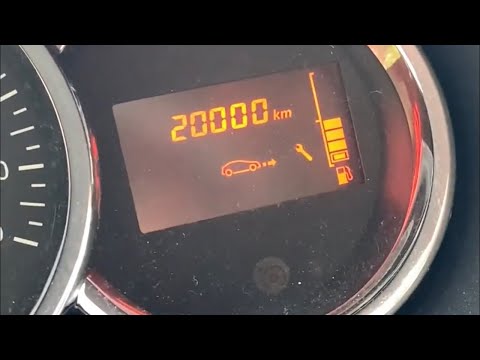
Dacia Duster
(2010-2017 /
MK 1, HS)
Before you can start, sit in the driver's seat of your Dacia Duster. Begin by activating the instrument cluster by simply turning the key in the igni…

Dacia Duster
(2017-2024 /
MK 2, HM)
The following steps will show us how to reset the maintenance service light for the oil change on the Dacia Duster. First, we get into the car and st…
Dacia Duster
(2010-2017 /
MK 1, HS)
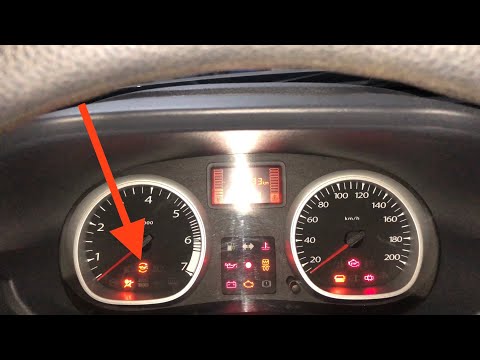
In this short and simple guide, discover how to reset the service light for the routine maintenance of the engine oil change on the first series Daci…
Other guides you may be interested in
|
How to Set the Date and Time on the Iveco Daily
Today, we will see in this video tutorial how to change the date and time on the Iveco Daily. First, get into the vehicle and turn on the instrument panel; then go to the vehicle settings on the central display, pressing the relevant option for date and time. At this point, press the "set" button located at the top, using the physical arrow buttons to set both the date and time; finally, exit the onboard computer menu to save the changes made! by ScegliAuto More videos
|
|
For advertising on this site Write to info@scegliauto.com
ScegliAuto is not responsible for any inaccuracy of the data in the lists. To report any inaccuracy or your business (if you own the business in question), please write to info@scegliauto.com
Number of seconds to generate the page: 0.035
(c) ScegliAuto 2026 - info@scegliauto.com - Privacy policy VAT number: IT01247470535 |
