
|
Do it yourself
| |||
| ||||


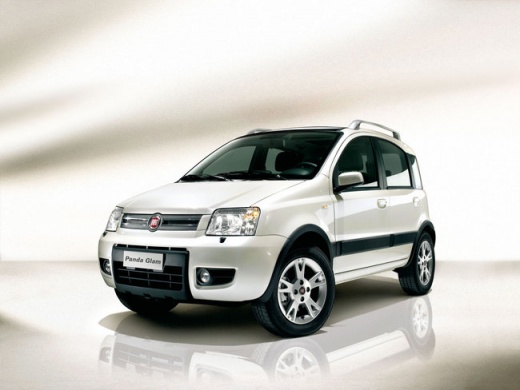
How to Replace the Knob Bulbs on a Fiat Panda
Model: Fiat Panda
169, MK 2
- Years:
2003, 2004, 2005, 2006, 2007, 2008, 2009, 2010, 2011, 2012
Video tutorial
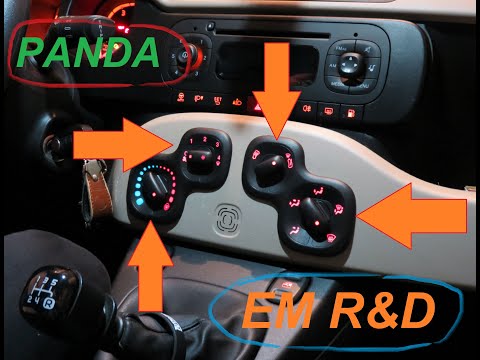
Before you begin, sit in the driver's seat of your Fiat Panda. Start by prising off and removing the two smaller knobs by pulling them towards you. Next, extract the two knob blocks and disconnect the rear power connectors. This will give you access to the blown bulbs, which you need to remove from their housing, completing the disassembly. To install the new bulbs and reassemble everything, simply follow this brief procedure in reverse, and you will have completed the replacement.
Updated on 5 April 2026 by ScegliAuto
Related tutorials
Fiat Panda
(2003-2012 /
169, MK 2)
Replacing the bulbs (T5 fitting) that illuminate the climate control knobs is very easy since the two knob assemblies are simply clipped into the cen…
Fiat Panda
(2012-2026 /
319, MK 3)
Remove the climate control knobs from the Fiat Panda? Remove the knobs if you need to replace them or the bulbs inside. Locate the panel with the ven…

Fiat Panda
(2003-2012 /
169, MK 2)
How to remove the bulbs for the manual air conditioning control knobs on a Fiat Panda? In this video, see how to proceed. Disconnect the air conditio…
Other guides you may be interested in |
How to reset the tyre pressure warning light on the Dacia Sandero?
The tyre pressure warning light that appears on the instrument cluster of the Dacia Sandero can be reset by inflating the tyres until they reach the correct pressure value: this value is indicated on the sticker attached to the driver’s door pillar. Once the inflation is complete, navigate through the menu that appears on the instrument cluster to find the option related to the tyres: select this with the OK button, which should then be held down for a few seconds to completely turn off the light. by ScegliAuto More videos
|
|
For advertising on this site Write to info@scegliauto.com
ScegliAuto is not responsible for any inaccuracy of the data in the lists. To report any inaccuracy or your business (if you own the business in question), please write to info@scegliauto.com
Number of seconds to generate the page: 0.029
(c) ScegliAuto 2026 - info@scegliauto.com - Privacy policy VAT number: IT01247470535 |
