
|
Do it yourself
| |||
| ||||


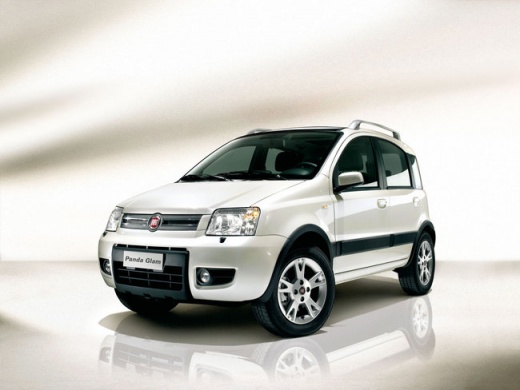
Fitting Roof Bars (Longitudinal) on Fiat Panda 169
Model: Fiat Panda
169, MK 2
- Years:
2003, 2004, 2005, 2006, 2007, 2008, 2009, 2010, 2011, 2012
Video tutorial
In this video, learn how to install roof bars, or longitudinal bars, on a Fiat Panda 169 in simple and quick steps. First, remove the rubber screws found on the roof using a cross screwdriver; then install the bars on the roof in the correct orientation, securing them by hand first before tightening with a socket spanner. At this point, replace the covers on the bolts; not all roof bar models are the same, so the fitting procedure may vary depending on the model.
Updated on 8 April 2026 by ScegliAuto
Related tutorials
Fiat Panda
(2003-2012 /
169, MK 2)
This video shows how to fit roof bars on a Fiat Panda 169. This operation can be done without a mechanic and involves a few simple steps. Use a cross…

Fiat Panda
(2012-2026 /
319, MK 3)
Today, focus on a very useful installation for the third series Fiat Panda: the roof bars. Start by assembling the various supports together followin…

Fiat Panda
(2003-2012 /
169, MK 2)
This video outlines all the necessary steps to replace the thermostat on a Fiat Panda 169, including how to replace the temperature sensor. By follow…
Other guides you may be interested in |
How to Set the Clock on a Renault Master 3
This guide shows you how to set a new time on a Renault Master 3. Start by turning on the instrument cluster of the vehicle without starting the engine. Next, using the end of the right-hand steering column stalk, scroll through the options on the display until you reach 'set time', then press the down arrow button to make the displayed time blink. Once this is done, press and hold the down arrow button to change the hour, which you can adjust using the two arrow buttons at the end of the stalk. Once the correct hour is set, press and hold the down arrow button again to move to the minutes. After setting the correct time, restart the vehicle. by ScegliAuto More videos
|
|
For advertising on this site Write to info@scegliauto.com
ScegliAuto is not responsible for any inaccuracy of the data in the lists. To report any inaccuracy or your business (if you own the business in question), please write to info@scegliauto.com
Number of seconds to generate the page: 0.016
(c) ScegliAuto 2026 - info@scegliauto.com - Privacy policy VAT number: IT01247470535 |
