
|
Do it yourself
| |||
| ||||


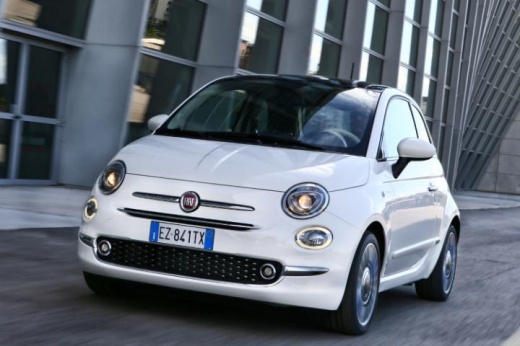
How the Uconnect System Works in Fiat 500, 500X, Tipo
Model: Fiat 500
500 X
- Years:
2014, 2015, 2016, 2017, 2018, 2019, 2020, 2021, 2022
Video tutorial
In this video tutorial, discover how to operate the Uconnect system and all its functions across various Fiat models such as the 500, 500X, and Tipo. Enter the vehicle and press the ignition button to activate the multimedia system; then choose from various settings including navigation, radio, Bluetooth connection to your phone, trip settings, and vehicle settings. There are also two USB ports where you will need to select the output mode on the Uconnect system; follow the video to the end to fully understand all its functions!
Updated on 19 April 2026 by ScegliAuto
Related tutorials
Fiat 500
(2014-2022 /
500 X)
To reset the uConnect system on a Fiat 500X, turn on the central display of the radio, select Settings, and then choose "Phone/Bluetooth": then selec…

Fiat 500
(2014-2022 /
500 X)
In this short guide, we will see the instructions that will allow us to activate the Uconnect Live system on the Fiat 500X. First of all, we get into…

Fiat 500
(2014-2022 /
500 X)
To activate the uConnect Live feature on the Fiat 500X, no action is required as it is already integrated into the car's operating system. It is free…
Other guides you may be interested in |
Frequently Asked QuestionsHow to Remove the Toll Tag Holder from the Car Windscreen
The toll tag holder is usually attached to the car windscreen to ensure that the toll tag functions immediately when passing through barriers. However, if you decide to remove the holder, you should follow this procedure: - Insert the toll tag into the holder; - Pull the holder inwards to detach it from the windscreen; you can use a glass scraper or a stiff plastic card to assist you; After removing the holder, it is essential to remove the adhesive from the windscreen. To remove the adhesive, we recommend using a solvent-based spray that will remove the glue without clouding the area. by ScegliAuto More videos
|
|
For advertising on this site Write to info@scegliauto.com
ScegliAuto is not responsible for any inaccuracy of the data in the lists. To report any inaccuracy or your business (if you own the business in question), please write to info@scegliauto.com
Number of seconds to generate the page: 0.017
(c) ScegliAuto 2026 - info@scegliauto.com - Privacy policy VAT number: IT01247470535 |
