
|
Do it yourself
| |||
| ||||


|
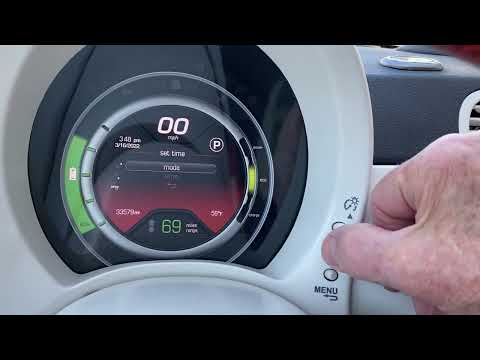
To set the time on the Fiat 500E, you need to turn on the instrument cluster and navigate through the menu that appears on the display using the controls on the steering wheel. You will need to navigate the menu until you select the Settings option: here, an additional menu will open where you can select the option to Set the time. This can be adjusted by scrolling through the hours first and then the minutes using the directional arrows on the steering wheel and the OK button. Once the time is set, you can turn off and then turn on the instrument cluster to register the change.
Updated on 28 April 2026 by ScegliAuto
Video tutorial
Related tutorials
Fiat 500
(2020-2026 /
500 E, 332)
In the video presentation available to us, the 10.25-inch touchscreen display of the Fiat 500e is presented, located in the center of the dashboard, …

Fiat 500
(2020-2026 /
500 E, 332)
In this new guide, we will describe the steps you need to take in order to quickly locate the fuse box of your Fiat 500e. First of all, park the car …
Fiat 500
(2007-2021 /
)
In this tutorial, you will learn how to adjust the time in a Fiat 500e, a very simple and quick operation. First, turn on the instrument cluster, the…
Other guides you may be interested in
|
How to Bleed the Clutch on a Renault Clio?
To bleed the clutch on a Renault Clio, open the bonnet to access the components located in the engine bay: here, you will need to undo the screws that secure the battery in its housing, the intake manifold, and the coolant reservoir. This will allow you to locate the pipe through which the brake fluid flows: by inserting the other end of the pipe into a container, you can press the clutch pedal to expel all the fluid until it fills the container. by ScegliAuto More videos
|
|
For advertising on this site Write to info@scegliauto.com
ScegliAuto is not responsible for any inaccuracy of the data in the lists. To report any inaccuracy or your business (if you own the business in question), please write to info@scegliauto.com
Number of seconds to generate the page: 0.653
(c) ScegliAuto 2026 - info@scegliauto.com - Privacy policy VAT number: IT01247470535 |
