
|
Do it yourself
| |||
| ||||


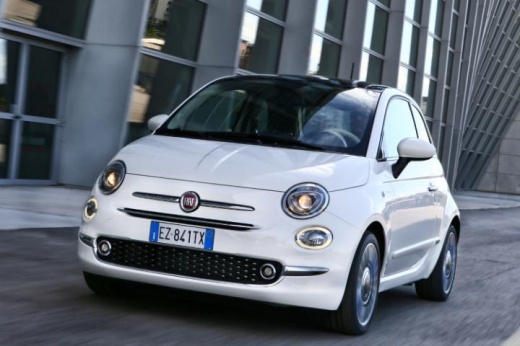
How to Replace the Front Wiper Blade of the Fiat 500X
Model: Fiat 500
500 X
- Years:
2014, 2015, 2016, 2017, 2018, 2019, 2020, 2021, 2022
Video tutorial
Regular maintenance of the wiper blades on your Fiat 500X helps maintain excellent safety levels while driving and reduces the risk of damaging the windscreen. Below, you will learn how to quickly and safely replace the front wiper blade. First, completely turn off the car and park it on a flat surface. Lift the wiper blade, press the small button in the centre, and slide the component off. Now, fit the new wiper blade and remove any dirt or debris from the windscreen. Finally, lower the wiper blade.
Updated on 11 May 2026 by ScegliAuto
Related tutorials
Fiat 500
(2014-2022 /
500 X)
Below are the steps that will allow you to remove and replace the front wipers on the Fiat 500X. First, move to the front of the vehicle and begin to…

Fiat 500
(2014-2022 /
500 X)
The procedure for removing the wiper blades on the Fiat 500X is the same for both the front and rear blades. In both cases, lift the wiper arm to mov…

Fiat 500
(2014-2022 /
500 X)
In this video tutorial, follow the instructions to remove the front fog light on a Fiat 500X in simple steps. To access the front fog light, you need…
Other guides you may be interested in |
How to Remove the Toll Tag Holder from the Car Windscreen
The toll tag holder is usually attached to the car windscreen to ensure that the toll tag functions immediately when passing through barriers. However, if you decide to remove the holder, you should follow this procedure: - Insert the toll tag into the holder; - Pull the holder inwards to detach it from the windscreen; you can use a glass scraper or a stiff plastic card to assist you; After removing the holder, it is essential to remove the adhesive from the windscreen. To remove the adhesive, we recommend using a solvent-based spray that will remove the glue without clouding the area. by ScegliAuto More videos
|
|
For advertising on this site Write to info@scegliauto.com
ScegliAuto is not responsible for any inaccuracy of the data in the lists. To report any inaccuracy or your business (if you own the business in question), please write to info@scegliauto.com
Number of seconds to generate the page: 0.009
(c) ScegliAuto 2026 - info@scegliauto.com - Privacy policy VAT number: IT01247470535 |
