
|
Do it yourself
| |||
| ||||


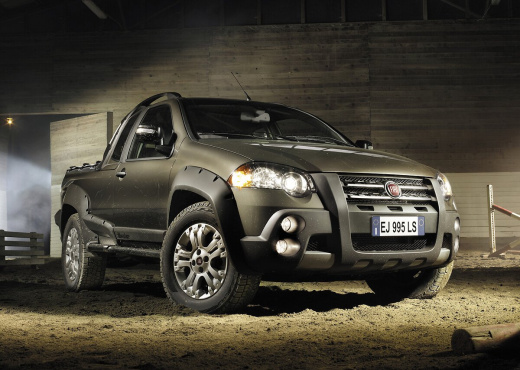
How to Change the Stop Light Bulbs of the Fiat Strada?
Model: Fiat Strada
MK 1
- Years:
1998, 1999, 2000, 2001, 2002, 2003, 2004, 2005, 2006, 2007, 2008, 2009
Video tutorial
Today we will see, in this video tutorial, how to remove and replace the rear light and its bulbs of the Fiat Strada. First, open the tailgate of the rear load area and start by removing the two plastic caps behind the light; then unscrew the two fixing screws, extracting the light from the outside and disconnecting the electrical connector of the bulbs, as shown in the video. Now separate the lens from the bulb holder to access the bulbs; replace them, if necessary, with new ones, applying the reverse procedure for reassembly!
Updated on 12 May 2026 by ScegliAuto
Related tutorials
Fiat Strada
(1998-2021 /
MK 1)
In this video, you can see where the position light fuse is located in the Fiat Strada. This is the first component to check if the lights stop worki…
Fiat Strada
(1998-2021 /
MK 1)
To set the clock on the Fiat Strada, turn on the instrument panel so you can navigate the menu on the onboard computer. To do this, use the direction…

Fiat Strada
(1998-2021 /
MK 1)
To reset the Service light that appears on the instrument panel of the Fiat Strada, you will need to connect a diagnostic tool to the vehicle's OBD p…
Other guides you may be interested in |
How to Reset the Tyre Pressure Warning Light on the Jeep Renegade?
To reset the tyre pressure warning light on the Jeep Renegade, inflate the tyres until they reach the recommended pressure: this value is indicated on the sticker attached to the driver’s door pillar. Once the tyres are properly inflated, navigate through the menu that appears on the instrument cluster until you find the tyre pressure option. At this point, press and hold the OK button on the right side of the steering wheel to make the warning light disappear. by ScegliAuto More videos
|
|
For advertising on this site Write to info@scegliauto.com
ScegliAuto is not responsible for any inaccuracy of the data in the lists. To report any inaccuracy or your business (if you own the business in question), please write to info@scegliauto.com
Number of seconds to generate the page: 0.022
(c) ScegliAuto 2026 - info@scegliauto.com - Privacy policy VAT number: IT01247470535 |
