
|
Do it yourself
| |||
| ||||


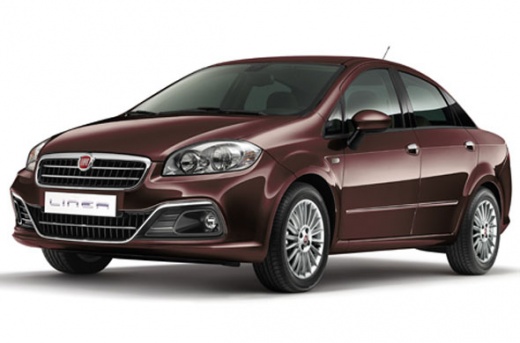
How to Remove the Front Bumper of the Fiat Linea?
Model: Fiat Linea
MK 1
- Years:
2007, 2008, 2009, 2010, 2011, 2012, 2013, 2014, 2015, 2016, 2017, 2018
Video tutorial
To remove the front bumper of the Fiat Linea, loosen all the screws and rivets that secure it to the front of the vehicle: these screws will be accessible by opening the hood and unscrewing those located at the front of the engine compartment. The other screws and rivets are found at the bottom of the bumper and inside the wheel wells of the front wheels. After all the fasteners have been removed, you can completely detach the bumper and replace it with a new replacement part that should then be properly secured.
Updated on 11 June 2026 by ScegliAuto
Related tutorials
Fiat Linea
(2007-2018 /
MK 1)
To replace the timing chain on the Fiat Linea, lift the car and loosen the bolts securing the right front wheel so that it can be removed along with …

Fiat Linea
(2007-2018 /
MK 1)
In this guide, we will see the main instructions on how to disassemble and replace the starter motor of the Fiat Linea 1.3 MultiJet. First, let's ope…

Fiat Linea
(2007-2018 /
MK 1)
To clear the Service light displayed on the instrument cluster of the Fiat Linea, you will need a scan tool that must be connected to the vehicle's O…
Other guides you may be interested in
|
How to reset the Service light on a 2019 Jeep Renegade?
The Service light, depicted as a yellow spanner, illuminates as scheduled to remind the driver that it is time for scheduled maintenance. This means that the set mileage has been reached, or the expected time has passed. The procedure involves turning on the instrument cluster, pressing the accelerator three times, and then turning off the ignition. After this, keep the brake pressed, turn the ignition back on, and then turn it off again. Upon the next ignition, you will notice that the light has been reset. by ScegliAuto More videos
|
|
For advertising on this site Write to info@scegliauto.com
ScegliAuto is not responsible for any inaccuracy of the data in the lists. To report any inaccuracy or your business (if you own the business in question), please write to info@scegliauto.com
Number of seconds to generate the page: 0.031
(c) ScegliAuto 2026 - info@scegliauto.com - Privacy policy VAT number: IT01247470535 |
