
|
Do it yourself
| |||
| ||||


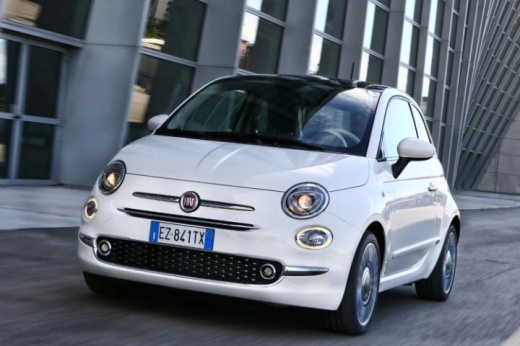
How to Change the Language on the Fiat 500
Model: Fiat 500
500 X
- Years:
2014, 2015, 2016, 2017, 2018, 2019, 2020, 2021, 2022
Video tutorial
To change the dialogue language on this car model, follow these steps: access the driver's seat and turn on the ignition. On the touch display, locate the "info" option, click on it, and a menu will appear. Select "display" from this menu, then another menu will appear with the "language" option. Click on this last command, and a list of available languages will be displayed. At this point, select the desired language and touch the arrow at the top left of the display to exit the programming menu.
Updated on 21 June 2026 by ScegliAuto
Related tutorials
Fiat 500
(2012-2023 /
500 L)
Changing the language on a Fiat 500 L is a simple task you can do yourself. This will be useful if you rent this vehicle in a foreign country or if y…

Fiat 500
(2007-2021 /
312)
In this video, discover how to change the language of the Blue&Me voice system on the Fiat 500 by following these simple steps. First, download the f…

Fiat 500
(2014-2022 /
500 X)
Thanks to this useful video tutorial, you will see how to change the system language on a Fiat 500X. Changing the system language on this vehicle is …
Other guides you may be interested in |
How to Reset the Tyre Pressure Warning Light on the Jeep Renegade?
To reset the tyre pressure warning light on the Jeep Renegade, inflate the tyres until they reach the recommended pressure: this value is indicated on the sticker attached to the driver’s door pillar. Once the tyres are properly inflated, navigate through the menu that appears on the instrument cluster until you find the tyre pressure option. At this point, press and hold the OK button on the right side of the steering wheel to make the warning light disappear. by ScegliAuto More videos
|
|
For advertising on this site Write to info@scegliauto.com
ScegliAuto is not responsible for any inaccuracy of the data in the lists. To report any inaccuracy or your business (if you own the business in question), please write to info@scegliauto.com
Number of seconds to generate the page: 0.031
(c) ScegliAuto 2026 - info@scegliauto.com - Privacy policy VAT number: IT01247470535 |
