
|
Do it yourself
| |||
| ||||


Fiat Doblò Fuse Diagram
Model: Fiat Fiat Various
Video tutorial
Today, locate the fuse box on the Fiat Doblò. Remember that you will find specific information regarding each fuse in the user manual of your vehicle. Start by opening the front engine compartment using the lever located on the driver's side at the bottom. Once done, find the fuse box on the right side of the engine. It will appear as a black box held in place by screws. To access it, unscrew the screws securing it. Once unscrewed, remove the front cover. At this point, with the cover removed, you will see all the various fuses in your vehicle. Identify the blown fuse and replace it with a new one. Refit the cover and the screws that held it in place previously.
Updated on 9 July 2026 by ScegliAuto
Related tutorials
Fiat Fiat Various
The Fiat Palio and Fiat Siena vehicles have two fuse boxes inside them. Both vehicles have the same fuse layout as they correspond to the 2006 and 20…
Fiat Fiat Various
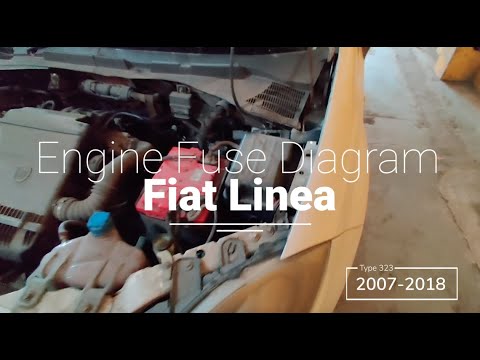
The fuses for the Fiat Linea are located inside the designated fuse box within the car. This is found in the engine compartment, specifically in the …

Fiat Fiat Various
To locate the fuses and consult their diagrams on the Fiat Palio Adventure, open the driver's side door and find the fuse box in the cabin, usually u…
Other guides you may be interested in
|
How to Reset the Tyre Pressure Warning Light on the Jeep Renegade?
To reset the tyre pressure warning light on the Jeep Renegade, inflate the tyres until they reach the recommended pressure: this value is indicated on the sticker attached to the driver’s door pillar. Once the tyres are properly inflated, navigate through the menu that appears on the instrument cluster until you find the tyre pressure option. At this point, press and hold the OK button on the right side of the steering wheel to make the warning light disappear. by ScegliAuto More videos
|
|
For advertising on this site Write to info@scegliauto.com
ScegliAuto is not responsible for any inaccuracy of the data in the lists. To report any inaccuracy or your business (if you own the business in question), please write to info@scegliauto.com
Number of seconds to generate the page: 0.097
(c) ScegliAuto 2026 - info@scegliauto.com - Privacy policy VAT number: IT01247470535 |
