
|
Do it yourself
| |||
| ||||


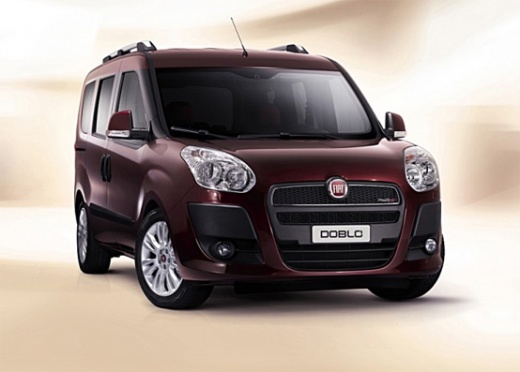
Replacing the Position Light Bulb on a Fiat Doblò
Model: Fiat Doblo
MK 2, Doblo 2, 263
- Years:
2009, 2010, 2011, 2012, 2013, 2014, 2015, 2016, 2017, 2018, 2019, 2020
Video tutorial
When you notice that the position light bulb on your Fiat Doblò has blown, proceed with the replacement as soon as possible. To do this, open the bonnet and secure it with the prop rod. At the back of the headlamp, which contains the bulb to be replaced, there is a protective cover; once removed, you will have access to the lights. Pull out the bulb holder located at the bottom, and remove the bulb to be replaced. Insert the new bulb and reposition it inside the headlamp. Replace the protective cover in its housing, and check the correctness of the operation.
Updated on 14 July 2026 by ScegliAuto
Related tutorials
Fiat Doblo
(2000-2009 /
Doblo 1, MK 1, 223)
Today, let's discover the main instructions that will allow us to remove and replace the interior light bulb on a Fiat Doblò. First, get inside the v…

Fiat Doblo
(2022-2026 /
Doblo -3)
To quickly and safely replace the front headlight bulb of your Fiat Doblo third edition, simply follow the procedure described below. First, purchase…

Fiat Doblo
(2000-2009 /
Doblo 1, MK 1, 223)
This video shows how to remove and replace the bulbs in the front headlamp of your car. First, identify which bulb needs replacing, whether it is the…
Other guides you may be interested in |
How to Reset the Tyre Pressure Warning Light on the Jeep Renegade?
To reset the tyre pressure warning light on the Jeep Renegade, inflate the tyres until they reach the recommended pressure: this value is indicated on the sticker attached to the driver’s door pillar. Once the tyres are properly inflated, navigate through the menu that appears on the instrument cluster until you find the tyre pressure option. At this point, press and hold the OK button on the right side of the steering wheel to make the warning light disappear. by ScegliAuto More videos
|
|
For advertising on this site Write to info@scegliauto.com
ScegliAuto is not responsible for any inaccuracy of the data in the lists. To report any inaccuracy or your business (if you own the business in question), please write to info@scegliauto.com
Number of seconds to generate the page: 0.016
(c) ScegliAuto 2026 - info@scegliauto.com - Privacy policy VAT number: IT01247470535 |
