
|
Do it yourself
| |||
| ||||


How to Change the Indicator Bulb on a Fiat Ducato
Model: Fiat Ducato
X250
- Years 2006-2014
In this video, see how to change the bulb in the indicator on a Fiat Ducato X250, and take the opportunity to replace the indicators with dynamic LEDs; first, remove the indicator lens, but before that, remove the external rear-view mirror by taking out the two Philips screws that hold it in place. Once the mirror is removed, you can take off the indicator housing, where you will see the bulb holder underneath. To remove the bulb, simply pull it outwards. Replace it with dynamic indicator lights; we suggest those from eBay, with the code 255335228788, priced at £35.35 for the pair, including shipping. Just connect the plug, refit the flasher unit, and replace the mirror lens.
Updated on 5 August 2026 by ScegliAuto
Video tutorial
Related tutorials
Fiat Ducato
(2006-2014 /
X250)
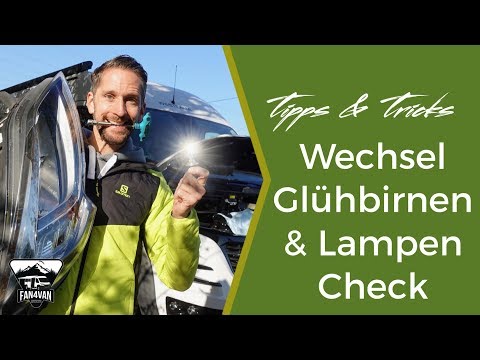
In this video we can see how to change the license plate bulb of a Fiat Ducato: we will only need a flat head screwdriver, the new bulb and the willi…
Fiat Ducato
(2014-2026 /
X290)
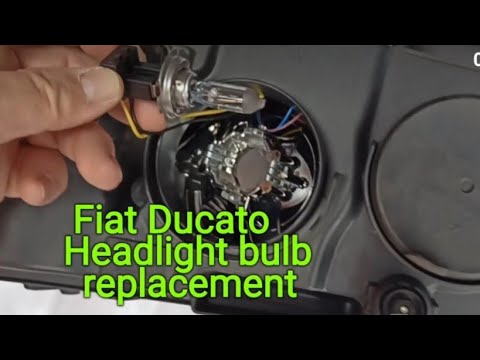
In this tutorial video, you will learn how to remove and replace the headlight bulb of the Fiat Ducato X290. First, open the bonnet and start by unsc…
Fiat Ducato
(2006-2014 /
X250)
To replace the front headlamp bulb on a Fiat Ducato, open the bonnet to access the components inside the engine bay. Specifically, you need to reach …
Other guides you may be interested in |
How to Open the Bonnet on the Lancia Y
To open the bonnet on this vehicle, follow these simple instructions: first, open the driver's door and locate the lever positioned just below the dashboard, marked with an image of the vehicle with the bonnet open. Pull this lever towards you until you hear a "click" indicating the bonnet is released. Next, exit the cabin and stand in front of the bonnet to disengage the safety catch and complete the opening. To do this, slightly lift the bonnet, locate the yellow lever underneath, and pull it to the left to fully release and open the bonnet. by ScegliAuto More videos
|
|
For advertising on this site Write to info@scegliauto.com
ScegliAuto is not responsible for any inaccuracy of the data in the lists. To report any inaccuracy or your business (if you own the business in question), please write to info@scegliauto.com
Number of seconds to generate the page: 0.624
(c) ScegliAuto 2026 - info@scegliauto.com - Privacy policy VAT number: IT01247470535 |
