
|
Do it yourself
| |||
| ||||


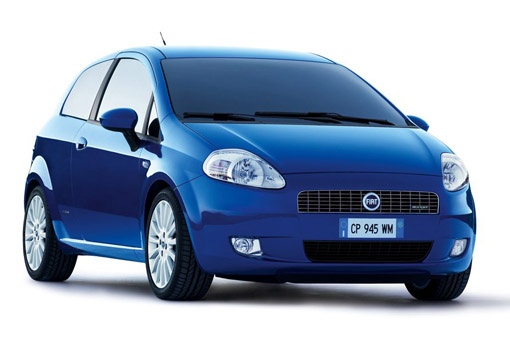
How to Position the Logo and Third Brake Light on a Fiat Grande Punto?
Model: Fiat Punto
199, MK 3, Grandepunto , Punto EVO
- Years:
2005, 2006, 2007, 2008, 2009, 2010, 2011, 2012, 2013, 2014, 2015, 2016
Video tutorial
To restore the third brake light, first retrieve the wiring from the boot gap, connect the two-pin connector correctly, and reposition the third brake light simply by clicking it into place with a slight pressure. Now, reposition the Fiat logo on the back (costs £34.00 on Amazon, with free delivery). Place the emblem over the hole and secure it from the inside with the screws provided in the kit. This logo is larger than the original and is also more practical as it allows you to grip it to open and close the boot, functioning somewhat as a handle.
Updated on 7 August 2026 by ScegliAuto
Related tutorials
Fiat Punto
(2005-2018 /
199, MK 3, Grandepunto , Punto EVO)
In today's video, see how to replace the third brake light on the Fiat Grande Punto. Specifically, this is a fully LED unit instead of the halogen on…

Fiat Punto
(2005-2018 /
199, MK 3, Grandepunto , Punto EVO)
These short and simple instructions will show us the process of disassembling and replacing the stop light switch of the Fiat Grande Punto, as well a…
Fiat Punto
(2005-2018 /
199, MK 3, Grandepunto , Punto EVO)
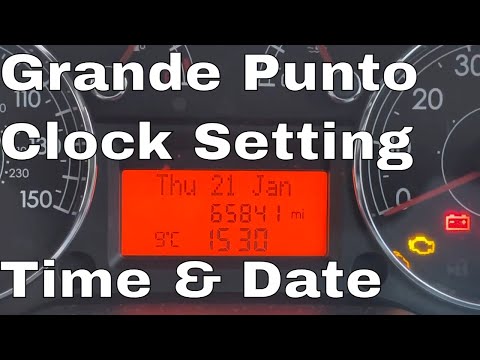
Before you start, sit in the driver's seat of your Fiat Grande Punto. Begin by activating the instrumentation by turning the key in the ignition swit…
Other guides you may be interested in |
How to Open the Fuel Filler Flap in the Hyundai i30?
In this tutorial, you will learn how to open the fuel filler flap in the Hyundai i30, a very simple operation that follows the typical procedure of most vehicles. First, unlock the locks using the designated button on the remote, then open the driver's door, locate the release lever on the left side of the seat, and operate it. Next, move to the fuel filler flap, open it completely, unscrew the cap, and refuel as needed. To close the flap, simply press it gently. by ScegliAuto More videos
|
|
For advertising on this site Write to info@scegliauto.com
ScegliAuto is not responsible for any inaccuracy of the data in the lists. To report any inaccuracy or your business (if you own the business in question), please write to info@scegliauto.com
Number of seconds to generate the page: 0.025
(c) ScegliAuto 2026 - info@scegliauto.com - Privacy policy VAT number: IT01247470535 |
