
|
Do it yourself
| |||
| ||||


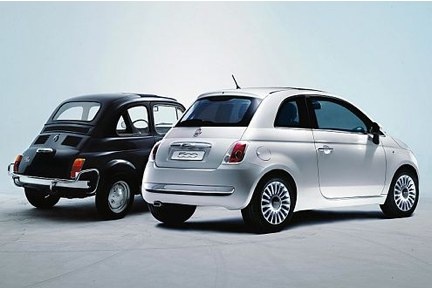
How to Apply Abarth Stickers on a Fiat 595
Model: Fiat 500
312
- Years:
2007, 2008, 2009, 2010, 2011, 2012, 2013, 2014, 2015, 2016, 2017, 2018
Video tutorial
In this video, we show the correct way to apply stickers on a Fiat 595 Abarth. The stripes can be easily found on all e-commerce sites. We recommend those from eBay with code 352647928065 at a price of €20.00, including delivery charges. First, clean the side panel thoroughly, then measure and mark the lower edge of the sticker with masking tape. Apply the stripe without removing the backing, holding it in place with more masking tape, and check the measurement by placing another piece of tape in the centre. When you are sure it is perfectly straight, start removing the adhesive backing from one side and apply it carefully with a spatula to remove all air. Apply it from the other side as well, and when it is perfectly laid, you can remove the top protective layer and make the cuts for the doors, after ensuring there are no air bubbles.
Updated on 25 August 2026 by ScegliAuto
Related tutorials
Fiat 500
(2007-2022 /
312)
Let's see how to apply stickers to the bodywork of the Fiat 500 Abarth to make it even more aggressive. First, thoroughly clean the vehicle, paying e…

Fiat 500
(2007-2024 /
312)
In this video, see how to check the countdown for servicing on a Fiat Abarth 595 with a digital instrument cluster. On the left side of the dashboard…
Fiat 500
(2020-2026 /
500 E, 332)
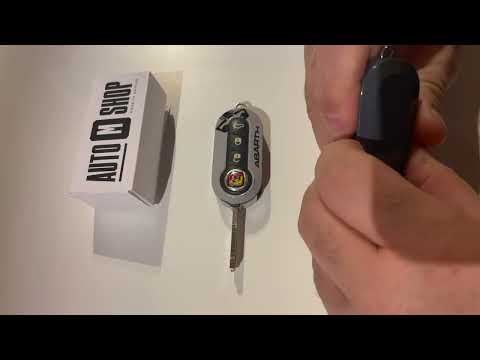
Over time and with use, the remote control cover of a Fiat 595 Abarth can become filled with unsightly scratches, compromising its appearance. By sea…
Other guides you may be interested in |
Frequently Asked QuestionsHow to Reset the Tire Pressure Light on a MG ZS?
On the instrument cluster of the MG ZS, the tire pressure light that appears can be reset by inflating the tires to the correct pressure: this value will be indicated on the sticker attached to the driver's door pillar. Once the tires have been properly inflated, you can turn on the instrument cluster and navigate through the menu until you find the option that indicates tire pressure: if this screen shows the new values, the light will turn off; otherwise, you will need to drive for a few miles so that the sensors can read the new values and turn off the light afterward. by ScegliAuto More videos
|
|
For advertising on this site Write to info@scegliauto.com
ScegliAuto is not responsible for any inaccuracy of the data in the lists. To report any inaccuracy or your business (if you own the business in question), please write to info@scegliauto.com
Number of seconds to generate the page: 0.015
(c) ScegliAuto 2026 - info@scegliauto.com - Privacy policy VAT number: IT01247470535 |
