
|
Do it yourself
| |||
| ||||


Guide to Replacing Brake System Pipes
Model: Fiat Punto
MK 2, 188
- Years:
1999, 2000, 2001, 2002, 2003, 2004, 2005, 2006, 2007, 2008, 2009, 2010
This video is currently unavailable
The video shows how to replace the brake fluid pipes if they are damaged due to wear. Since this is a primary safety system in the car, it is advisable to have the work carried out by a professional mechanic. The well-made and detailed video indicates the few tools necessary for the operation, after placing the car on a jack, remove the wheel and proceed to remove the old pipe from the brake caliper and then replace it. The only recommendation is to avoid introducing air into the brake system, as this would require bleeding the system, significantly extending the time required for the job. The car in the video is a Fiat Punto MK2.
Updated on 2 February 2026 by ScegliAuto
Related tutorials
Fiat Punto
(1999-2011 /
MK 2, 188)
Brake pads play a crucial role in the safety of the vehicle and, consequently, its passengers. The following guide shows how to replace them and all …
Fiat Punto
(1999-2011 /
MK 2, 188)
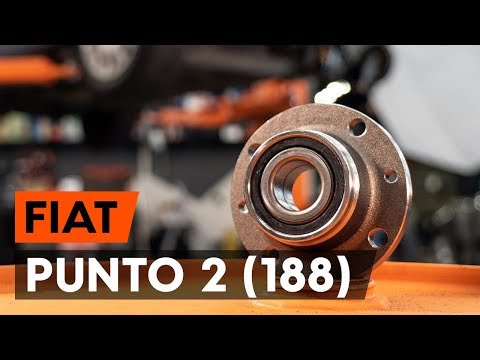
Let's see in this guide the steps to remove and replace the rear wheel bearing on the Fiat Punto, following these simple steps. First, lift the vehic…

Fiat Punto
(1999-2011 /
MK 2, 188)
This guide will show you how to bleed and replace the brake fluid in the braking system of the Fiat Punto in simple steps. First, open the bonnet and…
Other guides you may be interested in
|
How to Set the Time in an Audi A4?
In this tutorial, you will see how to set the time in an Audi A4, a very simple and quick operation to perform after replacing the battery or when the time changes. First, insert the key and turn on the instrument cluster. Then, press the "SETUP" button located on the center console. Next, press the upper left arrow button, navigate to the "Time" option, and use the central knob to adjust the clock. Finally, set any necessary formats and save by returning to the main screen. by ScegliAuto More videos
|
|
For advertising on this site Write to info@scegliauto.com
ScegliAuto is not responsible for any inaccuracy of the data in the lists. To report any inaccuracy or your business (if you own the business in question), please write to info@scegliauto.com
Number of seconds to generate the page: 0.026
(c) ScegliAuto 2026 - info@scegliauto.com - Privacy policy VAT number: IT01247470535 |
