
|
Do it yourself
| |||
| ||||


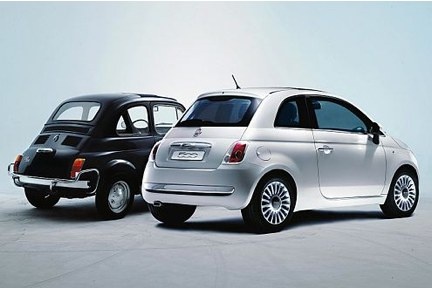
How to Replace the Windscreen on a Fiat 500
Model: Fiat 500
312
- Years:
2007, 2008, 2009, 2010, 2011, 2012, 2013, 2014, 2015, 2016, 2017, 2018
Video tutorial
Is the windscreen of your car cracked? Follow these steps to remove and replace the windscreen of a Fiat 500. First, open the bonnet and remove the plastic trim located under the windscreen, then close the bonnet and remove the seal all around the windscreen of the vehicle. Once the seal is removed, lift the windscreen and prepare to clean the perimeter of the Fiat (remove any adhesive residue present). Lay the new windscreen on a safe surface and apply suitable silicone for bonding. Use the appropriate suction cups to place the windscreen onto the car. Wait for the curing time. Finally, reattach the plastic trim under the windscreen.
Updated on 25 February 2026 by ScegliAuto
Related tutorials
Fiat 500
(2007-2021 /
312)
In this video tutorial, you will learn how to fit the front windscreen on a Fiat 500 by following these important instructions. First, ensure that th…
Fiat 500
(2012-2023 /
500 L)
To replace the windscreen on a Fiat 500L, open the bonnet to access the bolts securing the plastic grille located just below the windscreen. Once thi…
Fiat 500
(2007-2024 /
312)
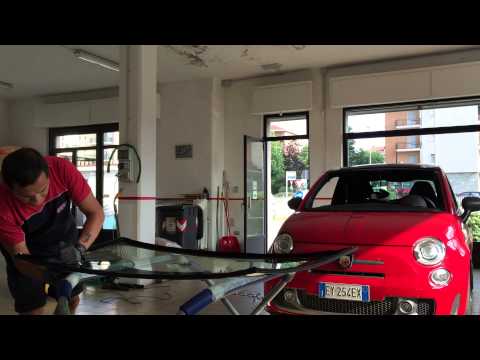
Here’s how to proceed with replacing the windscreen on a Fiat 500. Once you have removed the old windscreen and the seal, clean the car frame and app…
Other guides you may be interested in |
How to lower the rear seats in the Peugeot 206?
In this tutorial, you will see how to lower the rear seats in the Peugeot 206, a very simple and quick operation, for example, if you need more space in the boot. First, open both the doors and the tailgate, then unclip the seat base and position it vertically. Next, remove the horizontal partition, locate the release levers at the ends of both seatbacks, and, by operating them, lower the seatbacks. To reassemble everything, simply follow the reverse procedure. by ScegliAuto More videos
|
|
For advertising on this site Write to info@scegliauto.com
ScegliAuto is not responsible for any inaccuracy of the data in the lists. To report any inaccuracy or your business (if you own the business in question), please write to info@scegliauto.com
Number of seconds to generate the page: 0.021
(c) ScegliAuto 2026 - info@scegliauto.com - Privacy policy VAT number: IT01247470535 |
