
|
Do it yourself
| |||
| ||||


How are you
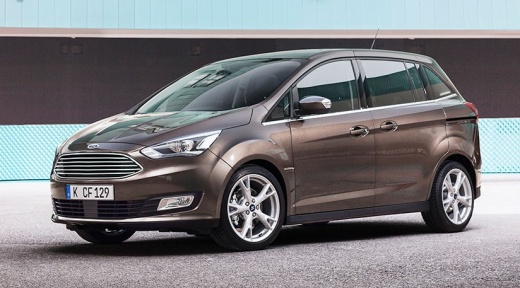
Model: Ford C Max
MK 2
- Years:
2010, 2011, 2012, 2013, 2014, 2015, 2016, 2017, 2018, 2019
Video tutorial
In this video, we see how to delete devices from the Bluetooth of a Ford CD 6000 Radio: turn on the radio and the display, then press the button located at the bottom of the keypad on the left side of the screen, which is the one with the phone receiver icon, and then press the "menu" button twice, located on the right side. Then, use the right scrolling button to scroll through the devices present and delete the ones you want to remove by pressing the "menu" button each time. This will free up space to add other devices that you want to keep in memory.
Posted on 31 March 2025 by ScegliAuto
Related tutorials
Volkswagen Jetta
(2010-2018 /
MK 6, A6)
In this tutorial, we will see how to enable the digital speedometer in a Volkswagen Jetta, a very simple and quick operation. First, enter the cabin,…
Mitsubishi L 200
(2005-2015 /
MK 2)
In this video, learn how to resolve minor malfunctions that may occur on the small central display of the Mitsubishi L200 by performing a master rese…
Other guides you may be interested in |
How to Open the Fuel Filler Flap in the Hyundai i30?
In this tutorial, you will learn how to open the fuel filler flap in the Hyundai i30, a very simple operation that follows the typical procedure of most vehicles. First, unlock the locks using the designated button on the remote, then open the driver's door, locate the release lever on the left side of the seat, and operate it. Next, move to the fuel filler flap, open it completely, unscrew the cap, and refuel as needed. To close the flap, simply press it gently. by ScegliAuto More videos
|
|
For advertising on this site Write to info@scegliauto.com
ScegliAuto is not responsible for any inaccuracy of the data in the lists. To report any inaccuracy or your business (if you own the business in question), please write to info@scegliauto.com
Number of seconds to generate the page: 0.066
(c) ScegliAuto 2026 - info@scegliauto.com - Privacy policy VAT number: IT01247470535 |
