
|
Do it yourself
| |||
| ||||


Removal of the instrument panel of the Ford Transit MK7
Model: Ford Transit
MK 7
- Years:
2006, 2007, 2008, 2009, 2010, 2011, 2012, 2013, 2014
Video tutorial
In this video, we see how to remove the instrument cluster of a Ford Transit MK7 that generates the error P1796: this error can be caused by a corrupted software system, wiring problems, or issues with the transmission control module sensor: the needles were going below zero, and it was making a strange noise: so the problem was definitely in the motherboard. The dashboard cover was then removed, which is attached to small clips and only a couple of screws. Once the cover is removed, the cluster is held in place by only four Phillips screws: we then disconnect the electrical connector and now we can open the cluster and inspect or replace the motherboard.
Posted on 26 May 2025 by ScegliAuto
Related tutorials
Ford Transit
(2006-2014 /
MK 7)
In this guide, you will discover where the fuse box is located inside your Ford Transit Mk7 (2006-2014) and what you need to do to access the fuses f…
Ford Transit
(2006-2014 /
MK 7)
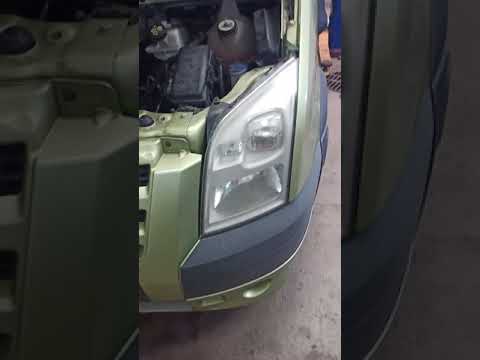
In this guide, you will learn how to correctly replace the front headlamp bulb on your Ford Transit Mk7. Before starting, ensure the vehicle is turne…

Ford Transit
(2006-2014 /
MK 7)
In order to adjust the clock of the Ford Transit, you need to turn on the instrument panel by inserting the ignition key into the corresponding slot.…
Other guides you may be interested in
|
How to Set the Time in an Audi A4?
In this tutorial, you will see how to set the time in an Audi A4, a very simple and quick operation to perform after replacing the battery or when the time changes. First, insert the key and turn on the instrument cluster. Then, press the "SETUP" button located on the center console. Next, press the upper left arrow button, navigate to the "Time" option, and use the central knob to adjust the clock. Finally, set any necessary formats and save by returning to the main screen. by ScegliAuto More videos
|
|
For advertising on this site Write to info@scegliauto.com
ScegliAuto is not responsible for any inaccuracy of the data in the lists. To report any inaccuracy or your business (if you own the business in question), please write to info@scegliauto.com
Number of seconds to generate the page: 0.041
(c) ScegliAuto 2026 - info@scegliauto.com - Privacy policy VAT number: IT01247470535 |
