
|
Do it yourself
| |||
| ||||


How to change the language on the Ford navigator
Model: Ford Ford Various
Video tutorial
In this video we can see how to change the language on the navigator of a Ford car: we need to go down to the little gears indicating the settings. From here, we always follow the gear that takes us to "system". From here we go to "language" (in this specific case "sprache" being set to the German language), and then we look for the language we desire, scrolling through the various options on the screen. We set the desired language, even though on this model - which is not further specified - the voice commands are only in English; all other writings, however, have been changed to Italian.
Posted on 24 July 2025 by ScegliAuto
Related tutorials
Ford Ford Various
Today, you will learn how to change the reading language on the onboard computer of a Ford vehicle. First, turn on the instrument cluster and then th…
Ford Ford Various
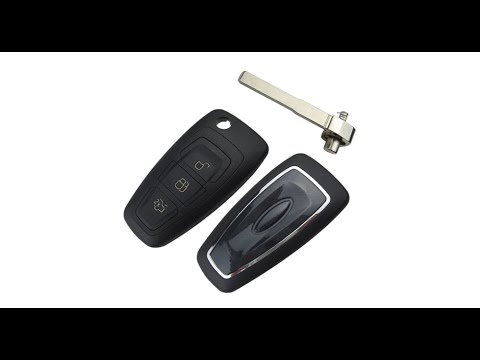
Ford remote keys have a very advantageous feature that is useful when you want to change the battery. In key models like the one in the video, it is …

Ford Ford Various
This guide shows the fuse assignments for a Ford F350 manufactured between 2008 and 2010. The first fuse box is located inside the vehicle, behind th…
Other guides you may be interested in |
How to Remove the Toll Tag Holder from the Car Windscreen
The toll tag holder is usually attached to the car windscreen to ensure that the toll tag functions immediately when passing through barriers. However, if you decide to remove the holder, you should follow this procedure: - Insert the toll tag into the holder; - Pull the holder inwards to detach it from the windscreen; you can use a glass scraper or a stiff plastic card to assist you; After removing the holder, it is essential to remove the adhesive from the windscreen. To remove the adhesive, we recommend using a solvent-based spray that will remove the glue without clouding the area. by ScegliAuto More videos
|
|
For advertising on this site Write to info@scegliauto.com
ScegliAuto is not responsible for any inaccuracy of the data in the lists. To report any inaccuracy or your business (if you own the business in question), please write to info@scegliauto.com
Number of seconds to generate the page: 0.016
(c) ScegliAuto 2026 - info@scegliauto.com - Privacy policy VAT number: IT01247470535 |
