
|
Do it yourself
| |||
| ||||


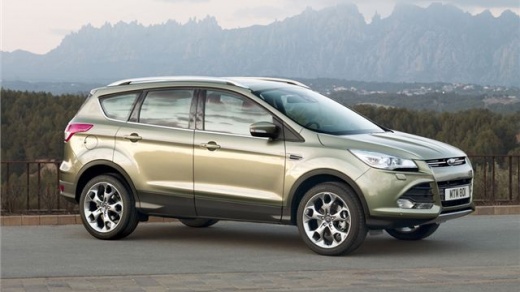
How to Install Roof Bars on a Ford Kuga
Model: Ford Kuga
MK 2, C520
- Years:
2012, 2013, 2014, 2015, 2016, 2017, 2018, 2019
Video tutorial
To install roof bars on a Ford Kuga, first check the type of roof: most versions have integrated longitudinal rails. Then, position the cross bars over the rails and identify the mounting points indicated by the kit. Open the bar supports and place them in position, maintaining the same distance front and back for proper balance. Gradually tighten the clamps or fixing screws until the brackets are securely attached to the rails, with no lateral play. If the version does not have rails, use a specific kit that attaches to the points under the door seals: slightly lift the rubber, position the brackets, and secure them according to the instructions. Once installed, check the tightness on both sides and verify stability by shaking the bars before loading any weight.
Posted on 13 May 2026 by ScegliAuto
Related tutorials
Ford Kuga
(2020-2026 /
MK 3)
In this guide, learn how to correctly install roof rails on the Ford Kuga. First, remove the side body protection on the roof to mount the bars. Roof…

Ford Kuga
(2012-2019 /
MK 2, C520)
In this video, we see how to install the roof rails on a Ford Kuga MK2: first, we need to remove the rubber seal from the designated housing on both …

Ford Kuga
(2012-2019 /
MK 2, C520)
The vehicle shown for the programming procedure of the sunroof and blind is the Ford Escape, but the same sequence applies to the Ford Kuga. You need…
Other guides you may be interested in
|
How to Set the Time in an Audi A4?
In this tutorial, you will see how to set the time in an Audi A4, a very simple and quick operation to perform after replacing the battery or when the time changes. First, insert the key and turn on the instrument cluster. Then, press the "SETUP" button located on the center console. Next, press the upper left arrow button, navigate to the "Time" option, and use the central knob to adjust the clock. Finally, set any necessary formats and save by returning to the main screen. by ScegliAuto More videos
|
|
For advertising on this site Write to info@scegliauto.com
ScegliAuto is not responsible for any inaccuracy of the data in the lists. To report any inaccuracy or your business (if you own the business in question), please write to info@scegliauto.com
Number of seconds to generate the page: 0.009
(c) ScegliAuto 2026 - info@scegliauto.com - Privacy policy VAT number: IT01247470535 |
