
|
Do it yourself
| |||
| ||||


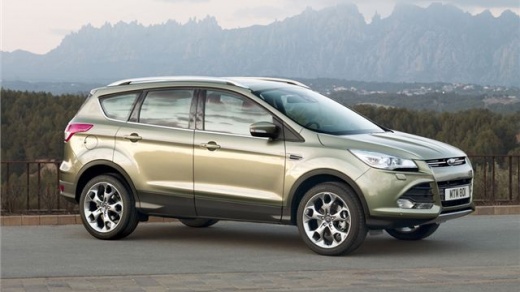
How to Reset the Tyre Pressure Light on the Kuga
Model: Ford Kuga
MK 2, C520
- Years:
2012, 2013, 2014, 2015, 2016, 2017, 2018, 2019
Video tutorial
In this article, we will see how to reset the tyre pressure light on the Ford Kuga. This procedure is useful if, after restoring the tyres to the correct pressure, the light remains on. First, start the instrument panel, then press the left arrow button on the left side of the steering wheel until the menu appears. Now use the down arrow button to navigate to the settings option, select it by pressing the OK button, then select the driving assistance option, then select the tyre monitoring option, now press and hold the OK button to perform the reset, wait for the reset to complete, release the button and restart the instrument panel.
Posted on 3 June 2026 by ScegliAuto
Related tutorials
Ford Kuga
(2020-2026 /
MK 3)
To reset the tyre warning light on the Ford Kuga, first remove the fault, then proceed to reset the light. Start by turning on the instrument cluster…
Ford Kuga
(2012-2019 /
MK 2, C520)
This guide shows how to reset the tyre pressure warning light on the 2015 Ford Kuga. After checking the tyre pressure with a gauge and comparing it t…

Ford Kuga
(2020-2026 /
MK 3)
Let's see how to reset the tire pressure warning light on a Ford Kuga MK III; the procedure is for models with a digital instrument cluster and multi…
Other guides you may be interested in
|
How to Enter the Unlock Code for the Radio in the Nissan Micra?
In this tutorial, you will see how to enter the unlock code for the radio in the Nissan Micra, a very simple operation to perform in case of memory loss after replacing the battery. The code can be found in the documents provided at purchase or through one of the various online recovery services. First, turn on the instrument panel, then repeatedly press the "1" button until you reach the first digit of the code. Follow the same logic to enter the remaining 3 digits using the "2", "3", and "4" buttons, and confirm the entry with the up arrow button. by ScegliAuto More videos
|
|
For advertising on this site Write to info@scegliauto.com
ScegliAuto is not responsible for any inaccuracy of the data in the lists. To report any inaccuracy or your business (if you own the business in question), please write to info@scegliauto.com
Number of seconds to generate the page: 0.022
(c) ScegliAuto 2026 - info@scegliauto.com - Privacy policy VAT number: IT01247470535 |
