
|
Do it yourself
| |||
| ||||


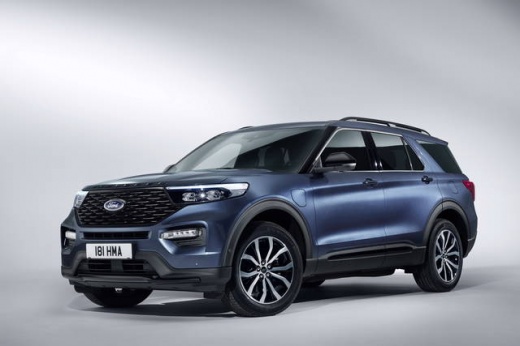
Replacing the Front Manufacturer's Badge on a Ford Explorer
Model: Ford Explorer
- Years:
2020, 2021, 2022, 2023, 2024, 2025, 2026
Video tutorial
Below, you will find instructions that will allow you to remove and replace the front manufacturer's badge on a Ford Explorer. First, open the bonnet of the vehicle and gently unclip the upper part of the bumper, removing the plastic clips; from the inside, unclip and remove the manufacturer's badge, as shown in the video. At this point, install the new manufacturer's badge, securing it properly inside the bumper; then reassemble the bumper by positioning all the clips (replacing any that are damaged).
Posted on 13 October 2026 by ScegliAuto
Related tutorials
Ford Explorer
(2020-2026 /
MK 6, U625)
Today, we will see how to remove and replace the logo of the Ford Explorer. Start by removing the badges from the tailgate. Use a heat gun to soften …

Ford Explorer
(2011-2019 /
U502, MK 5)
Today, we will go through the instructions to reset the engine warning light on the Ford Explorer, as well as on other models from the manufacturer. …
Ford Explorer
(2011-2019 /
U502, MK 5)
In this video, we will see the main steps to remove and replace the external wing mirror of the fifth series Ford Explorer. First, open the front doo…
Other guides you may be interested in |
How to Change the Time on the Peugeot 208
Today's guide will show you how to set the clock on the Peugeot 208's onboard computer, following the instructions below. First, get in the car and turn on the instrument panel; then press and hold the settings button on the panel for a few seconds until the time starts to flash, as shown in the video. At this point, press the left button to correctly set the time, adjusting the hour first and then the minutes; exit the onboard computer menu to save all the changes made! by ScegliAuto More videos
|
|
For advertising on this site Write to info@scegliauto.com
ScegliAuto is not responsible for any inaccuracy of the data in the lists. To report any inaccuracy or your business (if you own the business in question), please write to info@scegliauto.com
Number of seconds to generate the page: 0.009
(c) ScegliAuto 2026 - info@scegliauto.com - Privacy policy VAT number: IT01247470535 |
