
|
Do it yourself
| |||
| ||||


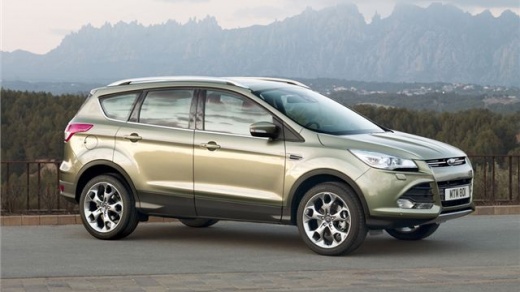
How to Reset the Service Light on the Ford Kuga
Model: Ford Kuga
MK 2, C520
- Years:
2012, 2013, 2014, 2015, 2016, 2017, 2018, 2019
Video tutorial
In today's video, you will see how to reset the service light on the Ford Kuga. This video also applies to other models, including the Focus and Mondeo. Start by sitting in the driver's seat. Press and hold the brake pedal and then the accelerator. Now turn the key or switch on the ignition using the corresponding button. After about ten seconds, you will see the service reset message appear on the dashboard. The operation can now be considered complete. Remember to perform this operation only after completing the scheduled maintenance as advised by the manufacturer.
Updated on 28 May 2026 by ScegliAuto
Related tutorials
Ford Kuga
(2008-2012 /
MK 1, C394)
This tutorial explains how to reset the service light in a Ford Kuga, a very simple and quick operation to perform only after completing all schedule…

Ford Kuga
(2012-2019 /
MK 2, C520)
In today's video, see how to reset the service light on the second generation Ford Kuga. This tutorial also applies to other contemporary models from…

Ford Kuga
(2020-2026 /
MK 3)
If you want to manually reset the service light on the dashboard of your Ford Kuga third series, follow the brief procedure described below. First, t…
Other guides you may be interested in
|
Frequently Asked QuestionsHow to Enter the Unlock Code for the Radio in the Nissan Micra?
In this tutorial, you will see how to enter the unlock code for the radio in the Nissan Micra, a very simple operation to perform in case of memory loss after replacing the battery. The code can be found in the documents provided at purchase or through one of the various online recovery services. First, turn on the instrument panel, then repeatedly press the "1" button until you reach the first digit of the code. Follow the same logic to enter the remaining 3 digits using the "2", "3", and "4" buttons, and confirm the entry with the up arrow button. by ScegliAuto More videos
|
|
For advertising on this site Write to info@scegliauto.com
ScegliAuto is not responsible for any inaccuracy of the data in the lists. To report any inaccuracy or your business (if you own the business in question), please write to info@scegliauto.com
Number of seconds to generate the page: 0.132
(c) ScegliAuto 2026 - info@scegliauto.com - Privacy policy VAT number: IT01247470535 |
