
|
Do it yourself
| |||
| ||||


How to Remove the Stock Radio from the Ford Bronco
Model: Ford Ford Various
Video tutorial
The steps necessary to safely and quickly remove the stock radio from your Ford Bronco are quite simple and take only a few seconds to complete. You will need two small metal rods thin enough to insert into the side slots of the radio. Once inserted, gently pull the radio towards you. Finally, disconnect the electrical connector present, and the device will be completely removed. To reinstall the radio, simply reconnect the connector and insert it back into the compartment correctly.
Updated on 16 June 2026 by ScegliAuto
Related tutorials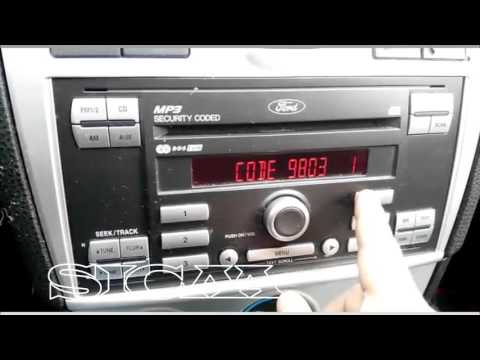
Ford Ford Various
In this tutorial, you can see how to enter the radio unlock code in the Ford Ikon, a very simple and quick operation, to be done after disconnecting …

Ford Ford Various
In this tutorial, you will see how to reset the radio in a Ford, a very simple and quick operation, for example, as a troubleshooting attempt or afte…

Ford Ford Various
In your Ford, the radio may freeze or show various signs of malfunction. In these cases, you can try to resolve the issue by resetting the system. Fi…
Other guides you may be interested in |
How to Remove the Toll Tag Holder from the Car Windscreen
The toll tag holder is usually attached to the car windscreen to ensure that the toll tag functions immediately when passing through barriers. However, if you decide to remove the holder, you should follow this procedure: - Insert the toll tag into the holder; - Pull the holder inwards to detach it from the windscreen; you can use a glass scraper or a stiff plastic card to assist you; After removing the holder, it is essential to remove the adhesive from the windscreen. To remove the adhesive, we recommend using a solvent-based spray that will remove the glue without clouding the area. by ScegliAuto More videos
|
|
For advertising on this site Write to info@scegliauto.com
ScegliAuto is not responsible for any inaccuracy of the data in the lists. To report any inaccuracy or your business (if you own the business in question), please write to info@scegliauto.com
Number of seconds to generate the page: 0.010
(c) ScegliAuto 2026 - info@scegliauto.com - Privacy policy VAT number: IT01247470535 |
