
|
Do it yourself
| |||
| ||||


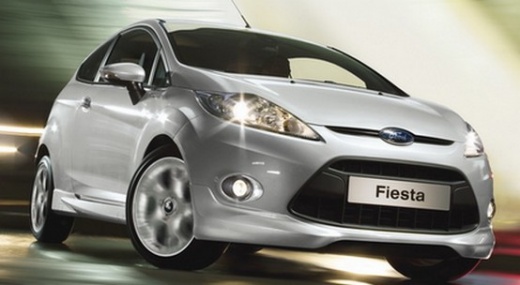
How to Reset the Sync System of the Ford Fiesta Radio
Model: Ford Fiesta
Fiesta 6, MK VI, MK 6
- Years:
2008, 2009, 2010, 2011, 2012, 2013, 2014, 2015, 2016, 2017
Video tutorial
In this video tutorial, you will learn the main steps to reset the Sync multimedia system of the Ford Fiesta. First, get inside the vehicle and turn on the instrument panel; then navigate to the onboard computer and go to the settings, scrolling with the arrows until you reach the system reset option, as shown in the video. At this point, wait for your multimedia system to be restored; then turn off the panel and start the engine, checking the correct operation of the entire multimedia system.
Updated on 15 July 2026 by ScegliAuto
Related tutorials
Ford Fiesta
(2008-2017 /
Fiesta 6, MK VI, MK 6)
In order to reset the Sync 1 of the Ford Fiesta car radio, you will need to open the glove compartment located on the passenger side: once opened, yo…

Ford Fiesta
(2008-2017 /
Fiesta 6, MK VI, MK 6)
This brief and simple guide shows how to reset and restore the Bluetooth Sync system of the Ford Fiesta. First, get into the vehicle and locate the f…
Ford Fiesta
(2008-2017 /
Fiesta 6, MK VI, MK 6)
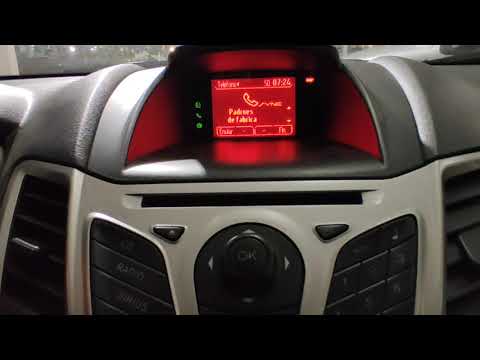
In this video, see how to reinitialize the Sync module on a Ford Fiesta (the procedure is the same for all Ford vehicles). Tap the phone button until…
Other guides you may be interested in
|
Frequently Asked QuestionsHow to Remove the Toll Tag Holder from the Car Windscreen
The toll tag holder is usually attached to the car windscreen to ensure that the toll tag functions immediately when passing through barriers. However, if you decide to remove the holder, you should follow this procedure: - Insert the toll tag into the holder; - Pull the holder inwards to detach it from the windscreen; you can use a glass scraper or a stiff plastic card to assist you; After removing the holder, it is essential to remove the adhesive from the windscreen. To remove the adhesive, we recommend using a solvent-based spray that will remove the glue without clouding the area. by ScegliAuto More videos
|
|
For advertising on this site Write to info@scegliauto.com
ScegliAuto is not responsible for any inaccuracy of the data in the lists. To report any inaccuracy or your business (if you own the business in question), please write to info@scegliauto.com
Number of seconds to generate the page: 0.028
(c) ScegliAuto 2026 - info@scegliauto.com - Privacy policy VAT number: IT01247470535 |
