
|
Do it yourself
| |||
| ||||


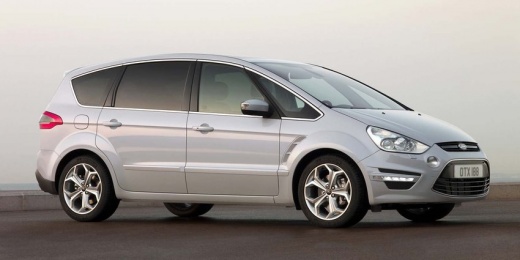
How to Reset the Service Light on a Ford S-MAX
Model: Ford S Max
MK 1
- Years:
2006, 2007, 2008, 2009, 2010, 2011, 2012, 2013, 2014, 2015, 2016
Video tutorial
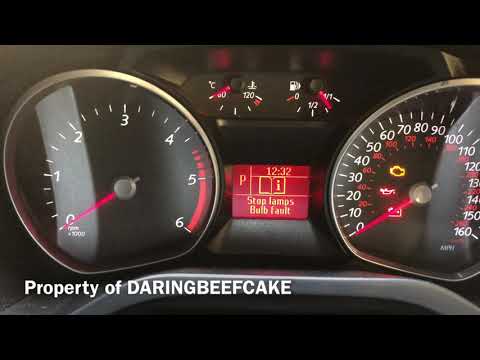
In this short tutorial, see how to reset the service light on a first-generation Ford S-MAX, produced from 2006 to 2016. Resetting this light is very simple; just insert the key into the ignition and press both the brake and accelerator pedals simultaneously, then turn the key to the first position to switch on the instrument cluster and start the service light reset. Wait about twenty seconds with the pedals pressed until the display shows the reset completed message.
Updated on 5 August 2026 by ScegliAuto
Related tutorials
Ford S Max
(2006-2016 /
MK 1)
When the service light on the Ford S Max illuminates, it indicates that you need to perform a service on the vehicle and then reset the light. To res…
Ford S Max
(2006-2016 /
MK 1)
To reset the service light on a Ford S-Max, insert the ignition key into the corresponding lock to turn on the instrument cluster. Once it is on, pre…

Ford S Max
(2006-2016 /
MK 1)
To reset the Service light that appears on the instrument panel of the Ford S-Max, you need to turn on the instrument panel by inserting the ignition…
Other guides you may be interested in
|
Where are the fuses located on the Renault Laguna?
On the Renault Laguna, the fuses are located inside the fuse boxes installed in the vehicle: in this car model, you will find two boxes for containing the fuses. The first is in the fuse box on the left side of the dashboard, accessible by opening the driver's door: here you will find the fuses for the windscreen wipers, fog lights, horn, etc. The second box is located on the right side of the engine compartment: here you will find the fuses for the dipped headlights, radiator fan, alternator, etc. by ScegliAuto More videos
|
|
For advertising on this site Write to info@scegliauto.com
ScegliAuto is not responsible for any inaccuracy of the data in the lists. To report any inaccuracy or your business (if you own the business in question), please write to info@scegliauto.com
Number of seconds to generate the page: 0.095
(c) ScegliAuto 2026 - info@scegliauto.com - Privacy policy VAT number: IT01247470535 |
