
|
Do it yourself
| |||
| ||||


Video tutorial
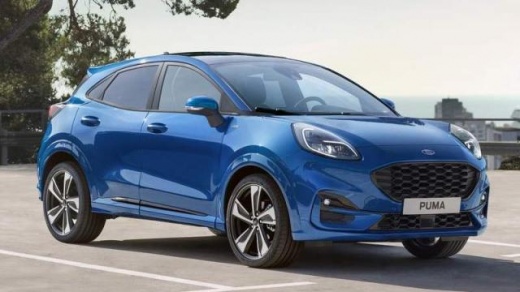
When the key for your second generation Ford Puma stops working, you don't necessarily need to think about buying a new one. In most cases, the problem is caused by a completely flat battery, so you just need to replace it with a new one. Below, we will discover the necessary steps to complete this operation. First, you need to have a compatible new battery, then remove the rear cover of the key and proceed with the replacement. Once the new battery is correctly inserted, you can reattach the protective cover, and you are done.
Updated on 19 September 2026 by ScegliAuto
Related tutorials
Ford Puma
(2019-2026 /
MK 1)
Very short video tutorial attached here to fully understand how to replace, in less than a minute, the battery of the key/remote of the Ford Puma and…

Ford Puma
(2019-2026 /
MK 1)
In today's video, we will see the entire operation necessary to replace the battery of a Ford Puma key, a model in production since 2019. So let's st…

Ford Puma
(2019-2026 /
MK 1)
In this new guide you will find the description of all the steps you need to follow to correctly replace the battery inside the remote control of you…
Other guides you may be interested in
|
Where are the fuses located on the Renault Laguna?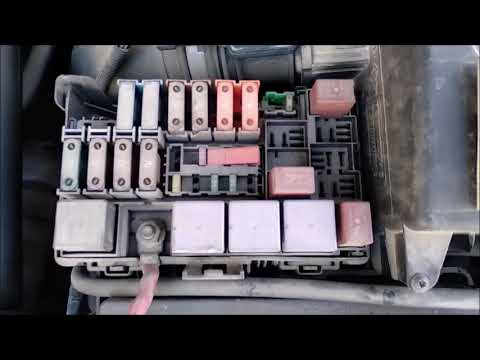
On the Renault Laguna, the fuses are located inside the fuse boxes installed in the vehicle: in this car model, you will find two boxes for containing the fuses. The first is in the fuse box on the left side of the dashboard, accessible by opening the driver's door: here you will find the fuses for the windscreen wipers, fog lights, horn, etc. The second box is located on the right side of the engine compartment: here you will find the fuses for the dipped headlights, radiator fan, alternator, etc. by ScegliAuto More videos
|
|
For advertising on this site Write to info@scegliauto.com
ScegliAuto is not responsible for any inaccuracy of the data in the lists. To report any inaccuracy or your business (if you own the business in question), please write to info@scegliauto.com
Number of seconds to generate the page: 0.130
(c) ScegliAuto 2026 - info@scegliauto.com - Privacy policy VAT number: IT01247470535 |
