
|
Do it yourself
| |||
| ||||


How to Replace the Key Fob Battery on Ford Ranger
Model: Ford Ranger
MK 3
- Years:
1998, 1999, 2000, 2001, 2002, 2003, 2004, 2005, 2006, 2007, 2008, 2009
Video tutorial
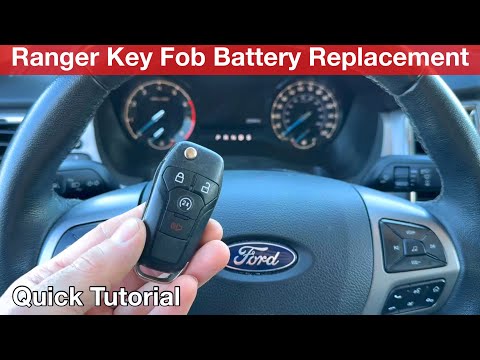
Today, let’s discover the useful information for disassembling and replacing the battery of the key fob for the Ford Ranger. First, take your key fob and start prying open the side slot to separate the two halves of the casing; this will give you access to the circuit board and the battery, as shown in the video. At this point, remove and replace the battery with a new one of the correct type and with the same code; insert it the right way round and reassemble the key fob, finally checking the operation of the buttons.
Updated on 30 September 2026 by ScegliAuto
Related tutorials
Ford Ranger
(2011-2023 /
T6, P375, PX)
Replacing the key battery of the Ford Ranger is a procedure that can be done in three simple steps. The first step is to remove the metal part of the…
Ford Ranger
(2011-2023 /
T6, P375, PX)
Today we will see the information that will allow us to disassemble and replace the battery of the Ford Ranger key remote, in simple and quick steps.…

Ford Ranger
(2011-2023 /
T6, P375, PX)
To change the battery of the key remote for a Ford Ranger, first press the unlock button and extract the emergency mechanical key. In the gap left, i…
Other guides you may be interested in
|
How to reset the tyre pressure warning light on the Dacia Sandero?
The tyre pressure warning light that appears on the instrument cluster of the Dacia Sandero can be reset by inflating the tyres until they reach the correct pressure value: this value is indicated on the sticker attached to the driver’s door pillar. Once the inflation is complete, navigate through the menu that appears on the instrument cluster to find the option related to the tyres: select this with the OK button, which should then be held down for a few seconds to completely turn off the light. by ScegliAuto More videos
|
|
For advertising on this site Write to info@scegliauto.com
ScegliAuto is not responsible for any inaccuracy of the data in the lists. To report any inaccuracy or your business (if you own the business in question), please write to info@scegliauto.com
Number of seconds to generate the page: 0.126
(c) ScegliAuto 2026 - info@scegliauto.com - Privacy policy VAT number: IT01247470535 |
