
|
Do it yourself
| |||
| ||||


How to Replace the Clutch on a GasGas TXT 125?
Model: Gasgas Txt 125
Video tutorial
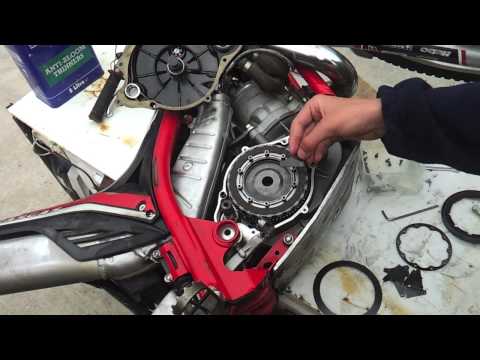
To replace the clutch on a GasGas TXT 125, loosen the screws securing the cover on the right side of the engine: this will allow you to remove the cover and access the components underneath. Here you will find all the discs that make up the clutch, which need to be freed from their housing by loosening the bolts that secure them. Once all the discs are removed, insert the new ones into their housing, covering everything with the corresponding cover.
Updated on 21 May 2026 by ScegliAuto
Related tutorials
Txt 125
You can replace the clutch on the GasGas TXT 125 by loosening the screws that secure the cover panel on the left side of the bike: once this panel is…
Txt 125
This tutorial shows how to remove the clutch from a Gasgas TXT 125, following these simple steps. First, drain the oil from your bike by unscrewing t…
Txt 125
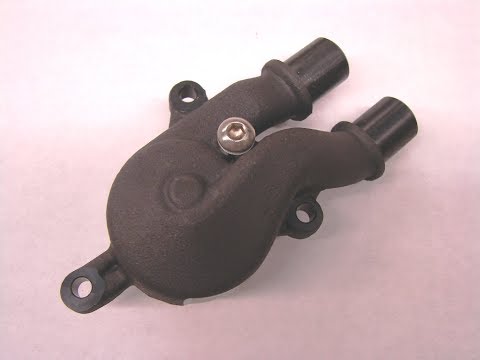
To replace the water pump on the GasGas TXT 125, locate the pump on the right side of the bike, next to the clutch cover. To remove the water pump, d…
|
How to Replace the Engine Oil and Oil Filter of an Aprilia Tuono V4
In this guide, we will see the instructions on how to carry out the routine maintenance service by replacing the engine oil and oil filter of the Aprilia Tuono V4 motorcycle. First, place the bike on the stand and start unscrewing the oil drain bolt located under the engine, allowing it to drain into a container for about ten minutes; then unscrew the oil filter cartridge, replacing it with a new one (screwing by hand and tightening gently), as shown in the video. At this point, top up with new engine oil, bringing the level to the maximum mark. by ScegliAuto More videos
|
|
For advertising on this site Write to info@scegliauto.com
ScegliAuto is not responsible for any inaccuracy of the data in the lists. To report any inaccuracy or your business (if you own the business in question), please write to info@scegliauto.com
Number of seconds to generate the page: 0.004
(c) ScegliAuto 2026 - info@scegliauto.com - Privacy policy VAT number: IT01247470535 |
