
|
Do it yourself
| |||
| ||||


Resetting maintenance on GMC Terrain
Model: GMC Terrain
MK 1
- Years 2010-2017
Through this very short video guide, we can see in a few simple steps how to reset the remaining life of the engine oil on a GMC Terrain, first generation model. First, we press the "MENU" button, located on the central console, until we see on the information display the screen that shows us the remaining life of the engine oil expressed in percentage. Then, we must press and hold the "SET/CLR" button, also located on the central console, and finally, when asked to reset, confirm the operation as shown in the video to complete the job.
Posted on 29 April 2024 by ScegliAuto
Video tutorial
Related tutorials
GMC Terrain
(2010-2017 /
MK 1)
If you want to find out where the fuse box is located inside your GMC Terrain first series (year 2013), just follow these simple steps. First you hav…

GMC Terrain
(2010-2017 /
MK 1)
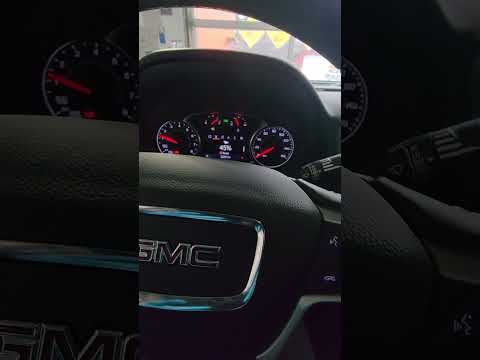
To manually reset the oil pressure light on your first generation GMC Terrain (2015), you must follow the simple procedure described in this new mini…
GMC Terrain
(2018-2025 /
MK 2)
In this video tutorial we can see how you can do the oil life reset in a 2020 GMC Terrain. Before doing the oil life reset in a GMC Terrain, you need…
Other guides you may be interested in
|
How to Remove the Air Vents
Let's see how to remove the air vents (center dashboard) from an Audi A6. Use multiple levers (screwdriver) to remove the vents. Pry at the top and bottom with the levers (as shown in the video) until you release the clips inside; detach the air vents and pull them out from the dashboard. Once you have pulled the vents outward, disconnect the two power connectors (as shown in the video) and remove the piece. Prepare to perform maintenance inside the dashboard, and then start installing the new air vents; connect the terminals and secure everything. by ScegliAuto More videos
|
|
For advertising on this site Write to info@scegliauto.com
ScegliAuto is not responsible for any inaccuracy of the data in the lists. To report any inaccuracy or your business (if you own the business in question), please write to info@scegliauto.com
Number of seconds to generate the page: 0.099
(c) ScegliAuto 2026 - info@scegliauto.com - Privacy policy VAT number: IT01247470535 |
