
|
Do it yourself
| |||
| ||||


How to program a new remote control in the GMC Yukon?
Model: GMC Yukon
Gmtk2uc, Gmtk2ug
- Years 2015-2020
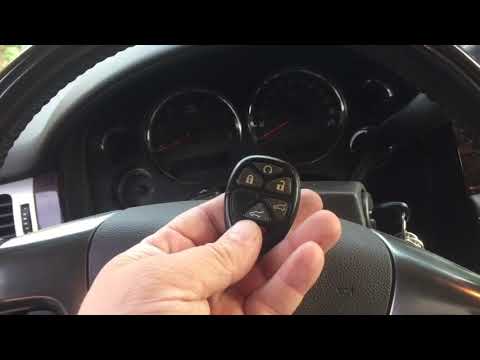
In this tutorial we can see how to program a new remote control in the GMC Yukon, a very simple and quick operation. To do this, we will obviously need a functioning remote control. Let's start by placing the remote control inside the cabin, then insert the emergency key into the driver's door lock and turn it counterclockwise 5 times in a row. Then go inside the cabin, insert the new remote control into the appropriate slot, turn on the instrument panel and press any button on the new remote control. To complete the operation, hold down the vehicle's ignition button for 12 seconds.
Posted on 10 May 2024 by ScegliAuto
Video tutorial
Related tutorials
GMC Yukon
(2007-2014 /
Gmt900)
In this tutorial we can see how to program the remote control in the GMC Yukon, a very simple and quick operation. To do this, we will obviously need…

GMC Yukon
(2000-2006 /
Gmt800)
.. In this tutorial we can see how to program a new remote control in the GMC Yukon, an extremely simple and quick operation. To do.. …
GMC Yukon
(2007-2014 /
Gmt900)
.. In this tutorial we can see how to program a new remote control in the GMC Yukon, an extremely simple and fast operation. To do this,.. …
Other guides you may be interested in
|
How to Remove the Distributor from a Fiat Panda
How to remove the distributor from a Fiat Panda? Lift the bonnet and secure it, then use a screwdriver to unscrew the locking pins of the ventilation pipe, remove the engine soundproofing panel and the cap (detach it). Start by unscrewing the fastening pins of the distributor (as shown in the video); remove the distributor from the engine housing. Install a new distributor inside the engine bay, connect the various cables and close with the cap. Refit all previously removed parts (soundproofing panel, filter, etc.) and test the correct operation. by ScegliAuto More videos
|
|
For advertising on this site Write to info@scegliauto.com
ScegliAuto is not responsible for any inaccuracy of the data in the lists. To report any inaccuracy or your business (if you own the business in question), please write to info@scegliauto.com
Number of seconds to generate the page: 0.139
(c) ScegliAuto 2026 - info@scegliauto.com - Privacy policy VAT number: IT01247470535 |
