
|
Do it yourself
| |||
| ||||


Model: Honda Pcx 150
In this tutorial, see how to replace the front brake pads on the Honda PCX 150 scooter, a very simple and quick operation. First, position yourself in front of the brake in question, then using a socket spanner, undo the two indicated bolts and separate the caliper from the fork. Next, compress the piston using a flat-head screwdriver, remove the old pads, and clean any dirt residue present. At this point, simply insert the replacement pads and reassemble everything by following the reverse procedure.
Updated on 15 September 2026 by ScegliAuto
Video tutorial
Related tutorials
Pcx 150
Changing the engine oil on the Honda PCX 150 scooter, as shown in this tutorial, is a straightforward and quick task. First, ensure the engine is coo…

Pcx 150
In this tutorial, we can see how to replace the coolant in the Honda PCX 150 scooter, a very simple and quick operation. First of all, we wait for th…

Pcx 150
In this tutorial we can see how to reset the service on the Honda PCX 150 scooter, an extremely simple and quick operation, to be carried out only on…
|
How to Replace the Front Brake Pads on a Peugeot Elyseo 125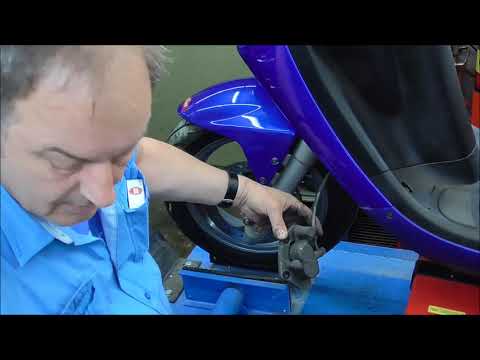
This guide briefly explains how to remove and replace the front brake pads on the Peugeot Elyseo 125 scooter. First, place your scooter on the centre stand and start unscrewing the bolts securing the front brake caliper to remove it from the disc; then, apply pressure to the caliper piston and clean it from any residual dirt, as shown in the video. At this point, remove and replace the brake pads with new, high-quality ones, installing them in the correct orientation and then refitting the brake caliper! by ScegliAuto More videos
|
|
For advertising on this site Write to info@scegliauto.com
ScegliAuto is not responsible for any inaccuracy of the data in the lists. To report any inaccuracy or your business (if you own the business in question), please write to info@scegliauto.com
Number of seconds to generate the page: 0.005
(c) ScegliAuto 2026 - info@scegliauto.com - Privacy policy VAT number: IT01247470535 |
