
|
Do it yourself
| |||
| ||||


Honda Nc 700x - Video guides Honda Nc 700x
 How to check and top up the coolant in the Honda NC 700X This guide outlines the steps to check the engine coolant level and top it up in the Honda NC 700X. First, place the bike on its stand and begin by removing …Read all… Posted on 30 August 2026 by ScegliAuto 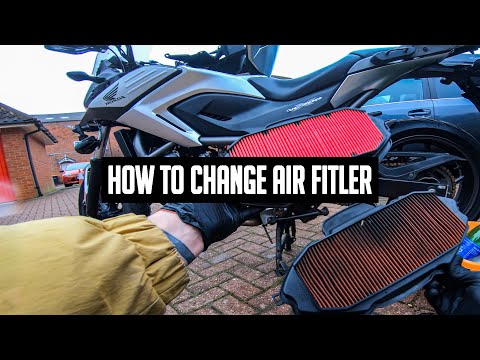 Honda Nc 700x
 How to Replace the Air Filter of the Honda NC 700X To replace the air filter of the Honda NC 700X, open the glove compartment located at the front of the bike, just behind the handlebars: by opening the …Read all… Posted on 23 August 2026 by ScegliAuto  Honda Nc 700x
 How to replace the air filter of the Honda Nc 700X Below are the instructions to remove and replace the air filter of the Honda Nc 700X motorcycle engine. First, place the bike on its centre stand and open the …Read all… Posted on 6 September 2026 by ScegliAuto  Honda Nc 700x
 How to Replace the Air Filter on a Honda NC 700X In this video tutorial, you will see how to remove and replace the engine air filter on the Honda NC 750X, following these simple steps. First, remove the …Read all… Posted on 20 July 2026 by ScegliAuto 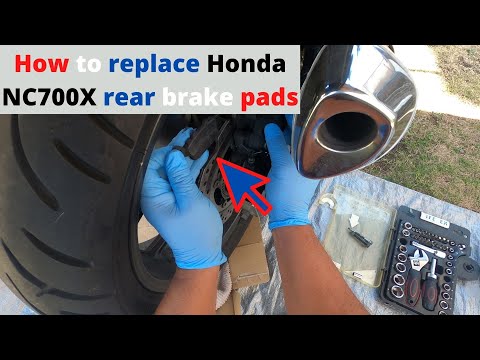 Honda Nc 700x
 Replace the Rear Brake Pads on the Honda NC 700X In this tutorial video, you will learn how to remove and replace the rear brake pads on the Honda NC 700X motorcycle. First, place the bike on its centre stand …Read all… Posted on 16 July 2026 by ScegliAuto  Honda Nc 700x
 Instructions for Replacing the Clutch Lever on a Honda NC 700X In this video tutorial, you will find instructions to remove and replace the clutch lever on a Honda NC 700X in simple steps. First, remove the rubber cover …Read all… Posted on 1 June 2026 by ScegliAuto  Honda Nc 700x
 Replacing Front Wheel Bearings on Honda NC 700x Unscrew the front wheel bolts using a 17 mm socket. Using a 12 mm socket, unscrew the bolts of the brake caliper. On the other side, loosen the bolt that …Read all… Posted on 19 May 2026 by ScegliAuto |
See also:How to reset the tyre pressure warning light on a Hyundai Tucson
Below are the instructions to reset the tyre pressure warning light (TPMS) on a Hyundai Tucson. First, get into the vehicle and turn on the instrument cluster; then navigate to the vehicle settings until you reach the tyre pressure monitor, identifying the tyre with incorrect pressure. At this point, restore all tyre pressures according to the specifications indicated on the label; this will reset the TPMS and the warning light will be cleared from the instrument cluster! by ScegliAuto More videos
|
|
For advertising on this site Write to info@scegliauto.com
ScegliAuto is not responsible for any inaccuracy of the data in the lists. To report any inaccuracy or your business (if you own the business in question), please write to info@scegliauto.com
Number of seconds to generate the page: 0.005
(c) ScegliAuto 2026 - info@scegliauto.com - Privacy policy VAT number: IT01247470535 |
