
|
Do it yourself
| |||
| ||||


Replacing the Rear Shock Absorbers
Model: Honda Civic
MK 7
- Years:
2001, 2002, 2003, 2004, 2005, 2006
This video is currently unavailable
Lift the vehicle on a hydraulic lift, remove the rear wheel, and access the boot by removing the side carpet lining to reach the fastening bolts of the shock absorber support. Then remove the fastening bolt of the shock absorber to the rear axle and use the appropriate clamp to compress the spring in order to complete the disassembly of the support and extract the shock absorber itself. Insert the new shock absorber into the spring, secure the upper support, and release the clamp to reposition the spring. Proceed in reverse to install it back onto the vehicle.
Updated on 9 February 2026 by ScegliAuto
Related tutorials
Honda Civic
(2006-2012 /
MK 8)
Shock absorbers are a part of the car that allows for a smooth and safe drive. When they wear out, they need to be replaced. To remove the worn ones,…
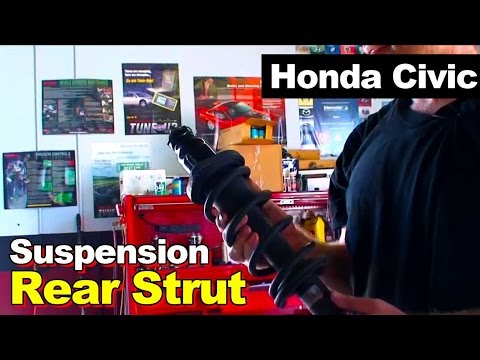
Honda Civic
(2001-2006 /
MK 7)
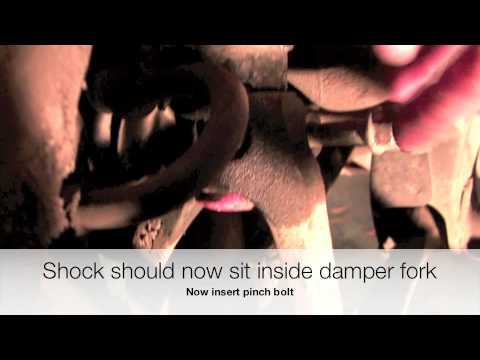
For this operation, only an 18mm socket spanner is needed. Remove the wheel and unscrew the nut that secures one end of the shock absorber to the veh…
Honda Civic
(1992-1995 /
MK 5)
You only need an 18 mm socket spanner for this operation. Remove the wheel and unscrew the nut that secures one end of the shock absorber to the vehi…
Other guides you may be interested in |
How to Reset the Tyre Light on a Toyota Aygo?
To reset the tyre light on a Toyota Aygo, start by locating the reset button, which is found in the glove compartment of the front passenger side. Turn on the car and ensure that the tyres are at the correct pressure. Then, press and hold the reset button for a few seconds until the tyre light either flashes or turns off, depending on the model. Release the button and wait for the reset procedure to complete. Restart your Toyota Aygo and check if the tyre light has turned off, indicating that the reset was successful. by ScegliAuto More videos
|
|
For advertising on this site Write to info@scegliauto.com
ScegliAuto is not responsible for any inaccuracy of the data in the lists. To report any inaccuracy or your business (if you own the business in question), please write to info@scegliauto.com
Number of seconds to generate the page: 0.018
(c) ScegliAuto 2026 - info@scegliauto.com - Privacy policy VAT number: IT01247470535 |
