
|
Do it yourself
| |||
| ||||


Hyundai ix35 - KeyKey Hyundai ix35 (2009-2015 / mk 1) Hyundai ix35 (2009-2015 / MK 1)
How to Change the Rubber Button on the Hyundai IX35 Remote The rubber button on this Hyundai IX35 remote has crumbled, but we can easily replace it. You can buy the rubber buttons on Amazon using code B0F93V9T3Q for …Read all… Posted on 24 February 2026 by ScegliAuto  Hyundai ix35 (2009-2015 / MK 1)
How to replace the battery of the Hyundai IX35 remote control? In this tutorial we can see how to replace the battery of the Hyundai IX35 remote control, an extremely simple and fast operation. To do this we need a small …Read all… Posted on 15 February 2025 by ScegliAuto  Hyundai ix35 (2009-2015 / MK 1)
How to Open the Remote and Replace the Battery of the Hyundai IX35 Follow these main instructions to disassemble and open the remote, allowing you to replace the battery inside the Hyundai IX35. First, take the remote in hand …Read all… Posted on 9 July 2026 by ScegliAuto  Hyundai ix35 (2009-2015 / MK 1)
How to Replace the Key Fob Battery of a Hyundai iX35 The steps to replace the battery of a Hyundai iX35 key fob are very simple. Before you start, ensure you have the correct model of the new battery, which is a …Read all… Posted on 27 August 2026 by ScegliAuto  Hyundai ix35 (2009-2015 / MK 1)
How to Open the Side Windows with the Remote of the Hyundai IX35 In this guide, find the instructions to lower the side windows with the remote of the Hyundai IX35 in simple and quick steps. First, take your remote and press …Read all… Posted on 16 August 2026 by ScegliAuto  Hyundai ix35 (2009-2015 / MK 1)
How to Replace the Remote Battery on a Hyundai Tucson To replace the remote battery on a Hyundai Tucson, slide the key out from the top of the remote by pulling it away from the chrome cover. Once the key is …Read all… Posted on 27 July 2026 by ScegliAuto  Hyundai ix35 (2009-2015 / MK 1)
How to Replace the Remote Battery of a Hyundai IX35 In this video, you will replace the battery of the key fob for the Korean SUV, the Hyundai IX35. Start by detaching the metal key from the outer casing of the …Read all… Posted on 26 July 2026 by ScegliAuto  Hyundai ix35 (2009-2015 / MK 1)
How to Replace the Remote Battery on a Hyundai Ix35 To replace the remote battery on a Hyundai Ix35, you need to slide out the key that is connected to the chrome part at the top of the remote. Once the key is …Read all… Posted on 25 July 2026 by ScegliAuto  Hyundai ix35 (2009-2015 / MK 1)
Disassemble Ix35 Remote Key To disassemble the ignition key remote, start by removing the metal key inside. Take your remote and slide out the metal key. Once the metal key is out, use a …Read all… Posted on 26 April 2026 by ScegliAuto  Hyundai ix35 (2009-2015 / MK 1)
Disassembling Key Remote for Hyundai Ix35 Disassembling the remote key for the Ix35? Take apart the key and replace the battery or other functioning parts. Take your remote and press the release button …Read all… Posted on 26 April 2026 by ScegliAuto 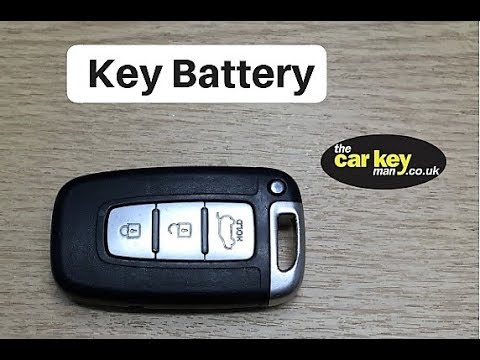 Hyundai ix35 (2009-2015 / MK 1)
How to Replace the Battery in a Hyundai Ix35 Key Fob In this video, learn how to replace the battery in a Hyundai Ix35 key fob. Take your ignition key fob and extract the metal key. Once the metal key is removed, …Read all… Posted on 19 March 2026 by ScegliAuto Airbag (4) Car stereo (12) Battery (1) Transmission (2) Spark plugs (1) Key (11) Timing belt (3) Onboard computer (2) Checks and maintenance (7) Throttle body (1) Headlight (2) Fog lights (1) Air filter (2) Cabin air filter (10) Fuel filter (1) Diesel fuel filter (3) Oil filter (2) Parking brake (7) Clutch (1) Grille (1) Window switch (1) Side marker bulb (1) Headlight bulb (5) License plate light (1) Handle (1) Transmission fluid (1) Engine oil (5) Clock (10) Windshield (1) Brake pads (2) Shift knob (1) Fuel pump (2) Car door (1) Instrument cluster (3) Fuse box (8) Seat (1) Parking sensors (1) Side mirror (2) Warning light – error code (4) (11) Tire pressure warning light (5) Service warning light (15) Steering wheel (1) |
How to Connect the Cables to the Battery of the Citroen Xsara Picasso?
In this tutorial, you will see how to connect the cables to the battery of the Citroen Xsara Picasso, useful if you need to recharge it or perform an emergency start. First, ensure the key is not inserted, then open the bonnet and move to the front of the left headlamp. Next, locate the bolt just behind the filter box and connect the positive terminal clamp to it. Now you can connect the negative terminal to any point on the chassis, such as the indicated point. Once the operation is complete, ensure you disconnect the negative first and then the positive. by ScegliAuto More videos
|
|
For advertising on this site Write to info@scegliauto.com
ScegliAuto is not responsible for any inaccuracy of the data in the lists. To report any inaccuracy or your business (if you own the business in question), please write to info@scegliauto.com
Number of seconds to generate the page: 0.011
(c) ScegliAuto 2026 - info@scegliauto.com - Privacy policy VAT number: IT01247470535 |
