
|
Do it yourself
| |||
| ||||


How to replace the keypad of the Hyundai Accent remote control
Model: Hyundai Accent
RB, MK 4, RC
- Years 2010-2017
Is it possible to replace only the worn keypad of a Hyundai Accent remote control? Certainly, and we see it in this video. We can find the replacement keypad on telecomandoauto.it in the Hyundai section for the price of 5.67 euros, with free delivery. Then, using the tip of a blade, we remove the damaged keypad from the remote control, being careful to remove all residues. We clean the underlying part well, removing any dust or crumbled rubber deposits, then we place the new keypad on its pressure gasket and place it on the remote control, being careful to position it in the right direction! Press firmly and it's done.
Posted on 26 October 2024 by ScegliAuto
Video tutorial
Related tutorials
Hyundai Accent
(2010-2017 /
RB, MK 4, RC)
To correctly and safely replace the battery inside the remote control of your Hyundai Accent, simply follow the steps described in the following guid…

Hyundai Accent
(2010-2017 /
RB, MK 4, RC)
The steps outlined in this guide will show us how to disassemble and replace the cabin fan of the Hyundai Accent. First, we get on board the vehicle …
Hyundai Accent
(2017-2024 /
YC, HC, MK 5)
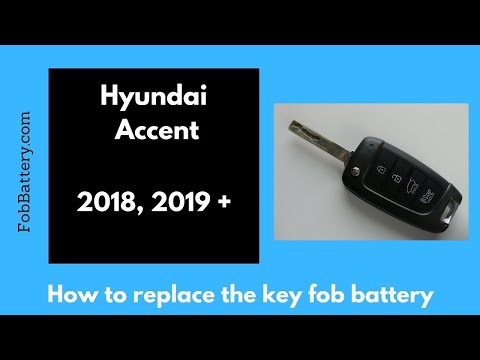
In this tutorial, you will see how to replace the remote battery on a Hyundai Accent. The first step is to purchase a new battery (CR 2032 3V). Press…
Other guides you may be interested in
|
How to Reset the Tyre Pressure Light on the Opel Grandland X
While driving, if you notice the tyre pressure warning light coming on, first check the actual inflation pressure of the tyres and, if necessary, restore the pressures recommended by the manufacturer. After restoring the correct pressures, you need to reset the warning light that has illuminated on the instrument cluster. To do this, locate the reset button on the lower central console. Press this button and hold it down for at least 3 seconds, after which the low pressure indication will turn off. by ScegliAuto More videos
|
|
For advertising on this site Write to info@scegliauto.com
ScegliAuto is not responsible for any inaccuracy of the data in the lists. To report any inaccuracy or your business (if you own the business in question), please write to info@scegliauto.com
Number of seconds to generate the page: 0.182
(c) ScegliAuto 2026 - info@scegliauto.com - Privacy policy VAT number: IT01247470535 |
