
|
Do it yourself
| |||
| ||||


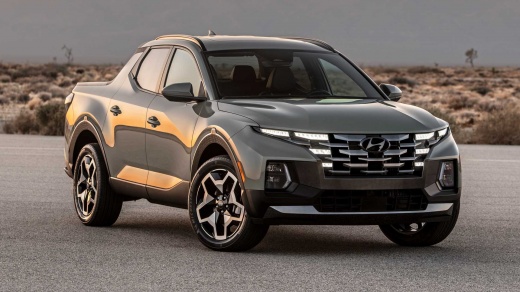
How to reset the service in the Hyundai Santa Cruz pick-up?
Model: Hyundai Santa Cruz
MK 1
- Years:
2021, 2022, 2023, 2024, 2025, 2026
Video tutorial
In this tutorial we can see how to reset the service in the Hyundai Santa Cruz pick-up, an extremely simple and quick operation, to be carried out only after completing all scheduled maintenance work. Let's start by going inside the cabin, then insert the key and turn on the instrument panel. Next, we reach the settings menu using the controls on the steering wheel, enter "Convenience", "Service Interval", and perform the reset by selecting the appropriate option. To complete the procedure, simply restart the vehicle.
Posted on 18 April 2025 by ScegliAuto
Related tutorials
Hyundai Santa Cruz
(2021-2026 /
MK 1)
In this video, you can see where the fuse boxes are located in the Hyundai Santa Cruz pickup and what their respective diagrams are, useful in case y…

Hyundai Santa Cruz
(2021-2026 /
MK 1)
In this video, you can see where the fuse boxes are located in the Hyundai Santa Cruz pickup and the corresponding diagrams, useful if you need to ch…

Hyundai Santa Cruz
(2021-2026 /
MK 1)
If the devices in our Hyundai Santa Cruz pickup suddenly stopped working, we can first check the status of the corresponding fuses whose diagrams are…
Other guides you may be interested in
|
Where is the Engine Fan Fuse Located in a Citroen C3?
The Citroen C3 contains two fuse boxes. The first fuse box is located inside the cabin behind the passenger side glove compartment. The second fuse box is under the bonnet near the battery. The fuse for the engine fan is located in the second fuse box and is labelled F8, rated at 25 Amperes. To replace the fuse, open the fuse box cover, remove the fuse with pliers, and insert a new fuse of the same amperage. Close the fuse box and the bonnet. by ScegliAuto More videos
|
|
For advertising on this site Write to info@scegliauto.com
ScegliAuto is not responsible for any inaccuracy of the data in the lists. To report any inaccuracy or your business (if you own the business in question), please write to info@scegliauto.com
Number of seconds to generate the page: 0.075
(c) ScegliAuto 2026 - info@scegliauto.com - Privacy policy VAT number: IT01247470535 |
