
|
Do it yourself
| |||
| ||||


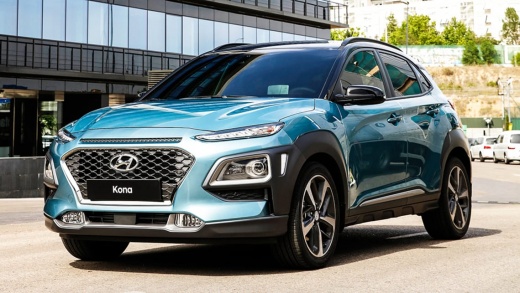
How to change the battery of the Hyundai Kona
Model: Hyundai Kona
MK 1
- Years:
2017, 2018, 2019, 2020, 2021, 2022, 2023
Video tutorial
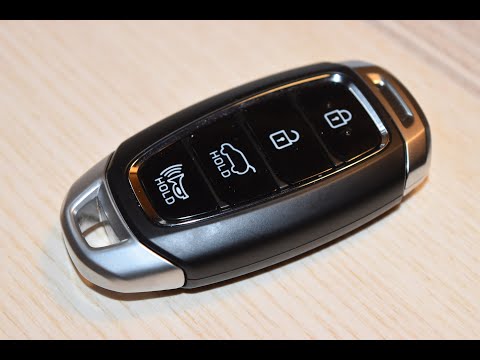
In this video, we see how to change the button battery of the Hyundai Kona: with a small screwdriver, at the bottom of the remote, we lever to open the key's body where the two small notches are located, designed for this purpose. Once opened, we find a sort of container fixed to the remote body with two small screws, which we can remove using the small screwdriver we used before. The battery is a common CR2032, which we can easily find at any supermarket or electronics store, for a few euros. We remove the exhausted battery, place the new one in its place paying attention to the polarity, and then close the cover with its two small screws. Now it's time to press the remote body back together and the operation is complete.
Posted on 26 December 2025 by ScegliAuto
Related tutorials
Hyundai Kona
(2017-2023 /
MK 1)
Take the Hyundai Kona remote control and look at the side opposite the buttons. You will notice a small cover. Underneath it is the battery that you …
Hyundai Kona
(2017-2023 /
MK 1)
Follow these step-by-step instructions to disassemble and replace the battery in the key fob for the Hyundai Kona. First, take your key fob and remov…

Hyundai Kona
(2017-2023 /
MK 1)
In this brief video guide, we will see the step-by-step procedure to change the battery (CR2032) of a Hyundai Kona key, first generation model produc…
Other guides you may be interested in
|
How to Open the Fuel Flap on a Volkswagen Tiguan?
To open the fuel flap on a Volkswagen Tiguan, first unlock the car using the appropriate button on the remote. This will open the car and unlock the mechanism that controls the fuel flap. At this point, apply light pressure to the left side of the flap to open it and access the cap underneath. Once this is unscrewed, you can refuel and then close everything. by ScegliAuto More videos
|
|
For advertising on this site Write to info@scegliauto.com
ScegliAuto is not responsible for any inaccuracy of the data in the lists. To report any inaccuracy or your business (if you own the business in question), please write to info@scegliauto.com
Number of seconds to generate the page: 0.138
(c) ScegliAuto 2026 - info@scegliauto.com - Privacy policy VAT number: IT01247470535 |
