
|
Do it yourself
| |||
| ||||


How is the tire error warning light reset in the 2019 Hyundai i20?
Model: Hyundai I20
GB, IB, MK 2
- Years 2014-2021
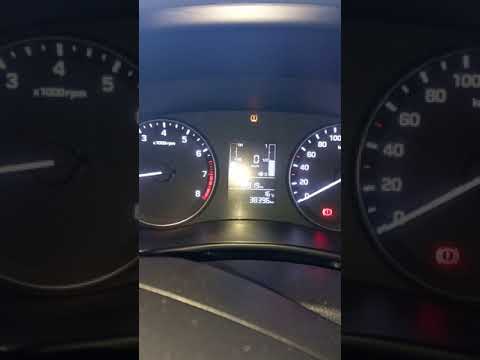
The tire pressure monitoring sensors, when present in cars, such as the 2019 Hyundai i20, play a crucial role, as they promptly alert the driver if something is wrong with the tires. Whether they need to be inflated or repaired after a puncture, it must be ensured that the pressure is brought back to the levels set by the manufacturer. Once this is done, all that remains is to reset the warning light, and here is how to do it: With the instrument panel on, press the Set button on the left side of the dashboard and nothing else.
Posted on 16 July 2025 by ScegliAuto
This video is currently unavailable
Related tutorials
Hyundai I20
(2014-2021 /
GB, IB, MK 2)
The following instructions will show us how to reset the tire pressure light of the Hyundai I20; before resetting, it is necessary for all four tires…
Hyundai I20
(2014-2021 /
GB, IB, MK 2)
Today we will see the instructions that will allow us to reset the tire pressure warning light of the Hyundai I20, in simple and quick steps. The car…

Hyundai I20
(2020-2026 /
BC3, MK 3)
The tire pressure warning light that appears on the instrument panel of the Hyundai I20 will need to be turned on in order to navigate through the me…
Other guides you may be interested in
|
How to Replace the Cabin Filter on the Opel Grandland X
If you own an Opel Grandland X and want to know the steps to replace the cabin air filter, carefully read the following guide and follow the described steps. First, enter the vehicle and go to the passenger side. Then, locate the box containing the air filter in the lower side area of the dashboard. Remove the cover of the box and finally replace the old filter with the new one. Refit the cover, and you are done. by ScegliAuto More videos
|

|
For advertising on this site Write to info@scegliauto.com
ScegliAuto is not responsible for any inaccuracy of the data in the lists. To report any inaccuracy or your business (if you own the business in question), please write to info@scegliauto.com
Number of seconds to generate the page: 0.126
(c) ScegliAuto 2026 - info@scegliauto.com - Privacy policy VAT number: IT01247470535 |
