
|
Do it yourself
| |||
| ||||


How to Reset the TPMS Light on a Hyundai Tucson MK3
Model: Hyundai Tucson
TL, MK 3
- Years 2015-2021
Let's see how to reset the tyre pressure monitoring system (TPMS) light on a 2017 Hyundai Tucson. The reset for this model occurs automatically: start with the correct inflation, referring to the label located on the driver's door pillar: then proceed to the automatic reset. In many cases, once the tyres have been inflated to the same pressure, the light will turn off by itself. If the light does not turn off immediately, simply drive a short distance (about 1-3 miles). During driving, the sensors will detect the wheel rotations and the light will automatically reset.
Posted on 18 June 2026 by ScegliAuto
Video tutorial
Related tutorials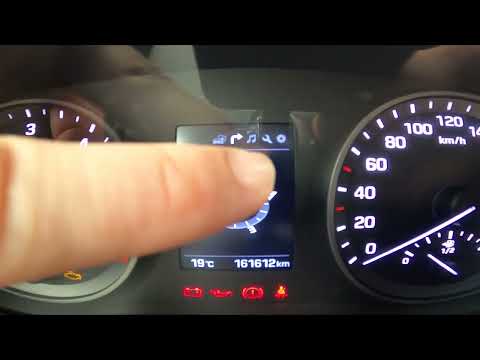
Hyundai Tucson
(2015-2021 /
TL, MK 3)
Today we will discover the instructions that will allow us to reset the tire pressure monitoring system (TPMS) light on the Hyundai Tucson; before pe…

Hyundai Tucson
(2015-2021 /
TL, MK 3)
This guide briefly explains how to reset the tyre pressure warning light on a Hyundai Tucson. To reset the light, ensure all four tyres are inflated …

Hyundai Tucson
(2015-2021 /
TL, MK 3)
Today, see how to check the tyre pressure and reset the TPMS light on a Hyundai Tucson vehicle. To check the tyre pressure, connect an air compressor…
Other guides you may be interested in
|
How to reset the tyre pressure warning light on the Dacia Sandero?
To reset the tyre pressure warning light on the Dacia Sandero, inflate all the tyres to the pressure indicated on the label on the driver's door. Once the tyres are inflated, turn on the ignition and navigate through the menu using the controls on the right side of the steering wheel. Scroll with the arrows to find the tyre pressure option: by holding down the OK button located on the right side of the steering wheel, you can reset the warning light. by ScegliAuto More videos
|
|
For advertising on this site Write to info@scegliauto.com
ScegliAuto is not responsible for any inaccuracy of the data in the lists. To report any inaccuracy or your business (if you own the business in question), please write to info@scegliauto.com
Number of seconds to generate the page: 0.060
(c) ScegliAuto 2026 - info@scegliauto.com - Privacy policy VAT number: IT01247470535 |
