
|
Do it yourself
| |||
| ||||


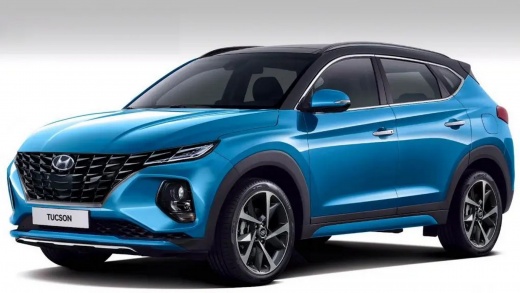
How to Reset the Display on a 2025 Hyundai Tucson
Model: Hyundai Tucson
NX4, MK 4
- Years:
2022, 2023, 2024, 2025, 2026
Video tutorial
To perform a soft reset of the display on your 2025 Hyundai Tucson, you will need a paperclip, a piece of wire, or anything else thin enough to be used for this purpose. As shown in the video, the multimedia display can be reset through a small hole where the paperclip should be inserted fully. Doing this will cause the screen to turn black and then proceed with the reboot, showing the Hyundai logo. After a couple of minutes, the display will be fully reset, and you can choose which account to log in with to continue using the multimedia system.
Posted on 1 August 2026 by ScegliAuto
Related tutorials
Hyundai Tucson
(2022-2026 /
NX4, MK 4)
Follow the guidance of the YouTuber who created this video to discover how to reset the service on the latest model of Hyundai Tucson available on th…

Hyundai Tucson
(2022-2026 /
NX4, MK 4)
On the latest model of the Hyundai Tucson, the 2022 version, the service light is reset using the buttons on the right side of the steering wheel, re…

Hyundai Tucson
(2022-2026 /
NX4, MK 4)
Today we will add a digital speedometer to the instrument panel of the Hyundai Tucson. To add and therefore modify the display of the instrument pane…
Other guides you may be interested in |
How to reset the tyre pressure warning light on the Kia Niro EV?
To reset the tyre pressure warning light on the Kia Niro EV, inflate the tyres until they reach the correct pressure value. This value is indicated on the sticker attached to the driver's door pillar. Once the tyres are inflated, turn on the instrument cluster to check that the warning light has completely disappeared from the display. If it is still present, you may need to drive for a few miles to ensure it disappears completely from the screen. by ScegliAuto More videos
|
|
For advertising on this site Write to info@scegliauto.com
ScegliAuto is not responsible for any inaccuracy of the data in the lists. To report any inaccuracy or your business (if you own the business in question), please write to info@scegliauto.com
Number of seconds to generate the page: 0.014
(c) ScegliAuto 2026 - info@scegliauto.com - Privacy policy VAT number: IT01247470535 |
