
|
Do it yourself
| |||
| ||||


How to Watch Videos on the 2020 Hyundai Tucson
Model: Hyundai Tucson
TL, MK 3
- Years 2015-2021
In this video, you can see how to watch videos on the Hyundai Tucson; first, get into the vehicle and make yourself comfortable. On the central dashboard, below the radio display, you will notice the manual control buttons for the stereo; in this area, there is a button that, when removed, reveals the SD card slot and the reset button next to it. This vehicle is equipped with a navigation screen that is both readable and intuitive; its use is easy, and there are no particular difficulties even if you want to watch videos with your family (For safety reasons, videos can only be watched with the vehicle turned off).
Updated on 29 April 2026 by ScegliAuto
Video tutorial
Related tutorials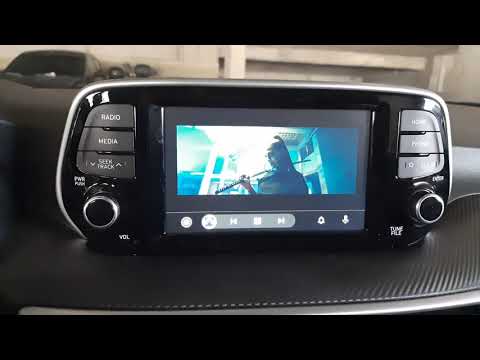
Hyundai Tucson
(2015-2021 /
TL, MK 3)
Watching videos on the Hyundai Tucson is indeed possible, provided the vehicle is stationary. This is not just a detail but a crucial safety rule tha…
Hyundai Tucson
(2015-2021 /
TL, MK 3)
In this video, you can see how to view videos on a Hyundai Tucson vehicle. Insert your USB stick with the saved video file into the designated slot u…
Hyundai Tucson
(2015-2021 /
TL, MK 3)
This instructional video demonstrates how to use the navigator and the information from the radio/navigator of the Hyundai Tucson. Pressing the power…
Other guides you may be interested in
|
How to Check the Oil Level on a Jeep Renegade?
To check the oil level on a Jeep Renegade, you need to open the bonnet to access the components inside the engine bay: on the lower left side of the engine block, you will find the dipstick for checking the level. This should be pulled out and thoroughly cleaned with a cloth: once cleaned, reinsert it back into its tube and pull it out immediately after. This way, you can check that the oil mark is between the minimum and maximum levels; finally, you can place the dipstick back in its tube. by ScegliAuto More videos
|

|
For advertising on this site Write to info@scegliauto.com
ScegliAuto is not responsible for any inaccuracy of the data in the lists. To report any inaccuracy or your business (if you own the business in question), please write to info@scegliauto.com
Number of seconds to generate the page: 0.067
(c) ScegliAuto 2026 - info@scegliauto.com - Privacy policy VAT number: IT01247470535 |
