
|
Do it yourself
| |||
| ||||


How to Reset TPMS on a Hyundai i20
Model: Hyundai I20
GB, MK 2
- Years:
2014, 2015, 2016, 2017, 2018, 2019, 2020
Video tutorial
Always clear the low tyre pressure warning only after restoring the correct pressures, comparing them with those listed in the vehicle's manual and on the label located inside the driver's door pillar. To turn off the yellow tyre pressure warning light, turn the ignition key to the 'on' position. On the lower part of the dashboard, to the left of the steering wheel, there is a "SET" button. Once pressed, the yellow warning light will turn off immediately.
Updated on 18 June 2026 by ScegliAuto
Related tutorials
Hyundai I20
(2014-2020 /
GB, MK 2)
In today's video, see how to address the tyre pressure warning light on the dashboard of the Hyundai i20. This tutorial also applies to other contemp…
Hyundai I20
(2008-2014 /
MK 1, PB)
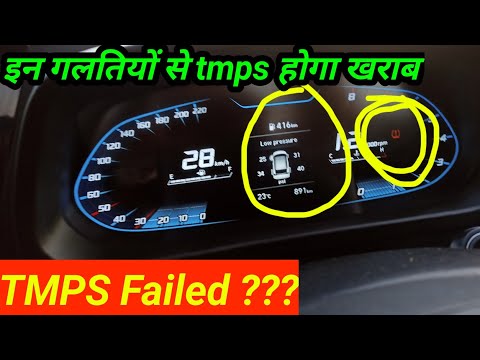
This guide outlines the steps to reset the tyre pressure warning light on the Hyundai I20 third generation. Before proceeding, ensure that all four t…

Hyundai I20
(2014-2020 /
GB, MK 2)
In today's video, we can see how to reset the maintenance light on a second generation Hyundai i20. We start the procedure by turning on the car's in…
Other guides you may be interested in
|
How to Reset the SOS System Error on the Audi A4
This guide provides information on how to restore the functionality of the SOS emergency call system on the Audi A4. The SOS system is now available on almost all models from the manufacturer; one of the most common issues is related to the malfunction of the SOS system, for which we will outline possible solutions. The issue can sometimes be resolved by resetting the MMI multimedia system by holding down the power button; otherwise, it will be necessary to perform a diagnostic check at the nearest service center. by ScegliAuto More videos
|
For advertising on this site Write to info@scegliauto.com
ScegliAuto is not responsible for any inaccuracy of the data in the lists. To report any inaccuracy or your business (if you own the business in question), please write to info@scegliauto.com
Number of seconds to generate the page: 0.092
(c) ScegliAuto 2026 - info@scegliauto.com - Privacy policy VAT number: IT01247470535 |
