
|
Do it yourself
| |||
| ||||


Isuzu Mu X - Brake padsBrake Pads Isuzu Mu X (2020-2027 / mk 2)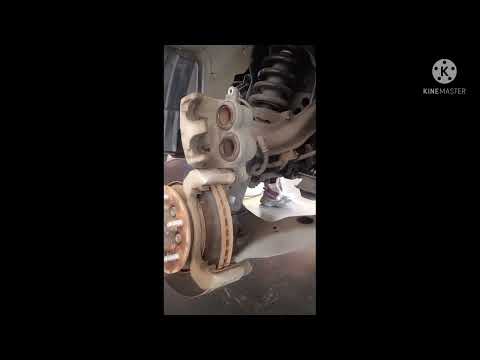 Isuzu Mu X (2020-2026 / MK 2)
Replacing the Front Brake Pads of the Isuzu MU X In this brief guide, you will see the steps to disassemble and replace the front brake pads of the Isuzu MU X. First, raise the vehicle and remove the front …Read all… Posted on 26 August 2026 by ScegliAuto 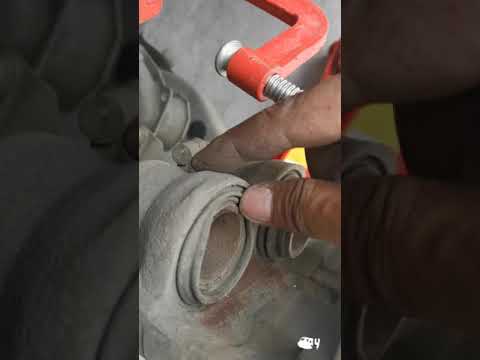 Isuzu Mu X (2013-2020 / MK 1, RF)
How to Replace the Front Brake Pads on an Isuzu MU-X? To replace the front brake pads on an Isuzu MU-X, lift the vehicle so that the wheels are off the ground. Then, loosen the lug nuts to remove the corresponding …Read all… Posted on 19 August 2026 by ScegliAuto Brake Pads Isuzu Mu X (2013-2020 / mk 1,rf)
Isuzu Mu X (2020-2026 / MK 2)Replacing the Front Brake Pads of the Isuzu MU X In this brief guide, you will see the steps to disassemble and replace the front brake pads of the Isuzu MU X. First, raise the vehicle and remove the front …Read all… Posted on 26 August 2026 by ScegliAuto
Isuzu Mu X (2013-2020 / MK 1, RF)How to Replace the Front Brake Pads on an Isuzu MU-X? To replace the front brake pads on an Isuzu MU-X, lift the vehicle so that the wheels are off the ground. Then, loosen the lug nuts to remove the corresponding …Read all… Posted on 19 August 2026 by ScegliAuto Air conditioning (1) Car stereo (2) Battery (1) Glove compartment (1) Key (5) Air conditioner (1) Tail light (3) Air filter (1) Cabin air filter (7) Engine oil (2) Clock (2) Brake pads (2) Wheel (1) Warning light – error code (3) Service warning light (1) |
How to Set the Time on the New Vespa 2023
In this new mini guide dedicated to your new Vespa 2023, discover how to manually change the time displayed on the central dashboard. First, position your Vespa on the stand. Then, insert the key and start the instrument panel. At this point, locate the "Mode" button on the right knob and hold it down for a few seconds. Release it as soon as the time on the dashboard starts to flash and press it multiple times to change both the hour and minute digits. When finished, turn off the panel and you are done. by ScegliAuto More videos
|
|
For advertising on this site Write to info@scegliauto.com
ScegliAuto is not responsible for any inaccuracy of the data in the lists. To report any inaccuracy or your business (if you own the business in question), please write to info@scegliauto.com
Number of seconds to generate the page: 0.011
(c) ScegliAuto 2026 - info@scegliauto.com - Privacy policy VAT number: IT01247470535 |
